
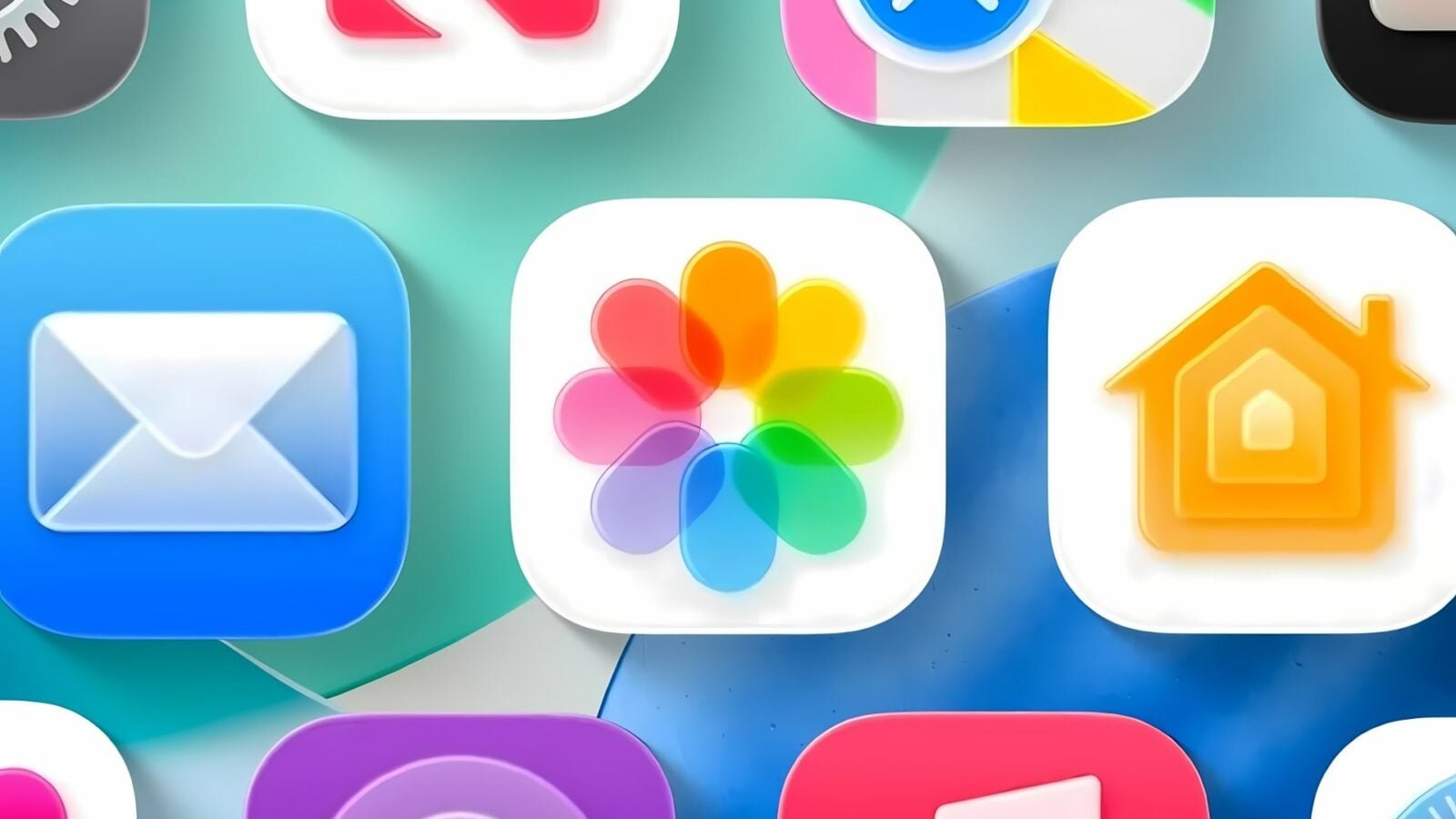
With iOS 26, Apple applies a “Liquid Glass” style to all its icons with shine, reflections and depth effects. We had already compared the icons of iOS 18 to those of iOS 26 in a previous article, but today we are going further, with the evolution of the main icons for iPhone, from their creation to their current version. Here is now a broader overview, which allows you to measure the extent to which certain applications have changed over the years.
Some have changed very little since their creation, while others have become unrecognizable. Like many, I prefer the very first versions of applications most of the time, instead of new designs which often lose readability. You can also tell us what you think at the end of the article, a short survey awaits you.
Camera

© basicappleguy
No products found.
The iOS 26 icon marks a return to a more realistic style, after more than ten years of very refined logos. It uses a central lens treated with reflections and gradients, in the spirit of the original icon used between 2007 and 2013. But with the Liquid Glass effect, the play of light and the added texture, the Camera icon is today one of the most realistic in iOS 26.
Plans

© basicappleguy
We continue with Maps, the navigation app integrated into iOS since 2012 and introduced with iOS 6 to replace Google Maps. The icon has long displayed a portion of the map around Apple’s headquarters in Cupertino, identifiable by route 280. This marking has disappeared from iOS 15. In iOS 26, the icon retains the simplified structure that has appeared since, with the Liquid Glass style.
Safari

© basicappleguy
We then move on to Safari, Apple’s in-house browser, present since the very first iPhone. The original icon was inspired by a detailed compass rose, with graduations and highlights. It has been simplified with iOS 7 into a flat style. Since then, the symbol has remained unchanged in broad terms, and the iOS 26 icon uses this same visual, adapting it to the Liquid Glass style.
Music

© basicappleguy
Next comes the Music app, which was called iPod until iOS 5, with an orange icon inspired by Apple’s Walkman. Starting with iOS 7, it becomes Music, with a white note on a gradient background, then changes to a brighter pink background. The iOS 26 icon keeps the same structure but adopts reflections, a marked depth, and a gloss effect characteristic of Apple’s new design.
Notes

© basicappleguy
Next comes Notes, the note-taking app present since iOS 1. The icon has remained faithful to its basic design, with a yellow stripe at the top and lines of paper. The style was flattened with iOS 7, then changed very little. In iOS 26, it adopts the new Liquid Glass style, without major composition changes.
Podcasts

© basicappleguy
We continue with Podcasts, the app dedicated to long format audio, integrated into iOS for more than ten years. The icon has always represented a central silhouette emitting waves, in a fairly abstract style. With iOS 26, Apple keeps this idea but changes the proportions, accentuates the contours and adds shiny highlights around the central element.
Apple TV

© basicappleguy
We end this selection with Apple TV, the multimedia app which took over from the old Videos application from iOS 10. It now centralizes streaming content, films on demand and Apple Originals series. Its icon has remained faithful to the initial design, with the letters TV in white on a black background. In iOS 26, only the texture changes slightly, with more visible reflections and a depth effect specific to the Liquid Glass style.
Other apps
Finally, here are other icon evolutions. Some, like Books or Compass, retain their original silhouette but adopt Apple’s new graphic language. We find the same codes: reflections, shine, depth and a unified visual structure, designed to integrate with the rest of the system.
Books

© basicappleguy
GarageBand

© basicappleguy
Compass

© basicappleguy
As you can see, we don’t list all of the iOS icons here. The images come from a source article published by Basic Apple Guy, who continues to add more regularly. He also specifies that “this collection will continue to grow and evolve with new icons added throughout the fall. »
Which generation of icons do you prefer?
While waiting to share with you new developments of iOS icons, we show you here a new feature that Apple has not announced on one of them.

By: Keleops AG




