

In bed, at the cinema or in the car or bus as a passenger, you may sometimes want read on your iPhone without disturbing your neighbors. For this, different solutions exist. Switch the iPhone to dark mode, set the screen brightness to minimum from the control center, activate Night Shift which reduces the emission of blue light from the screen, you have the choice. But if the iPhone still seems too bright after trying one or more of these three solutions, you can always try this trick.
In the functions of the Accessibility section, iOS offers several fairly practical options which can sometimes be diverted from their initial purpose. This is the case of zoom, which normally allows you to enlarge part of the screen, but which, in this case, can also be transformed into a low light filter. Here’s how to take advantage of it.
How to turn zoom into low light filter
Follow these steps:
- Go to Settings > Accessibility > Zoom
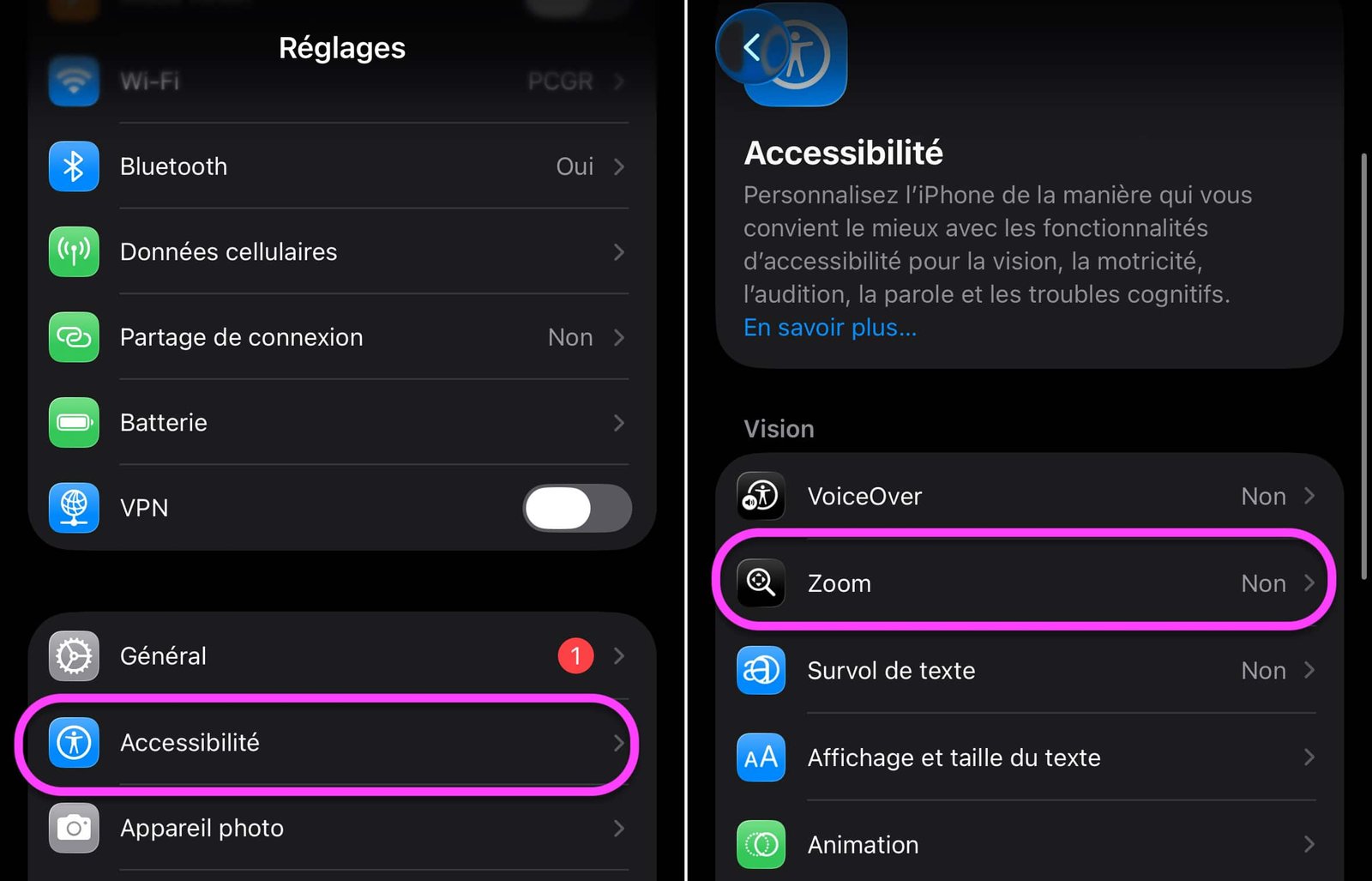
No products found.
© iOS screenshot by pocketphotography.com
- In “Zoom Filter”, choose “Low Lighting”
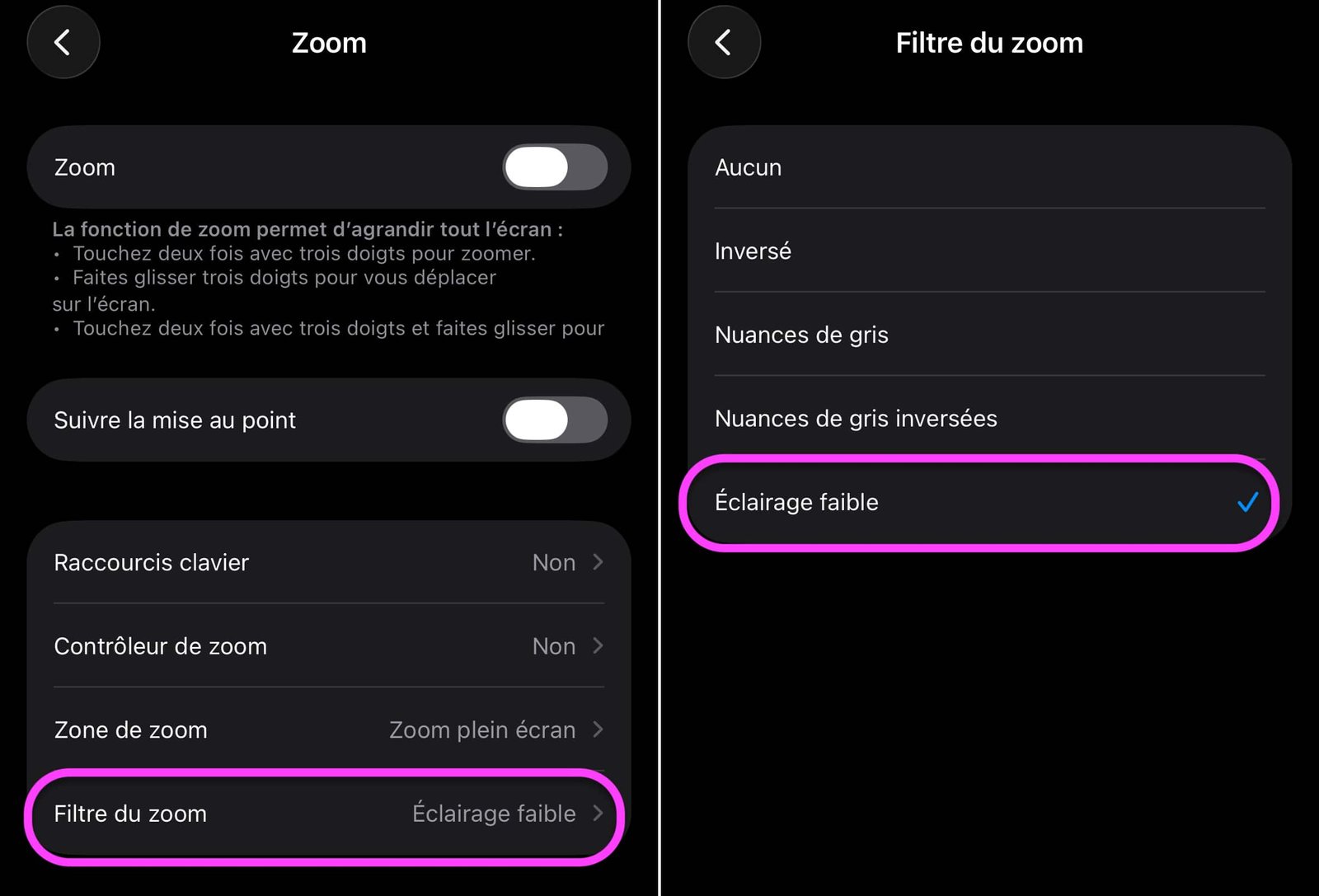
© iOS screenshot by pocketphotography.com
- Go to Settings > Accessibility
- Continue in “Accessibility Shortcut” at the bottom
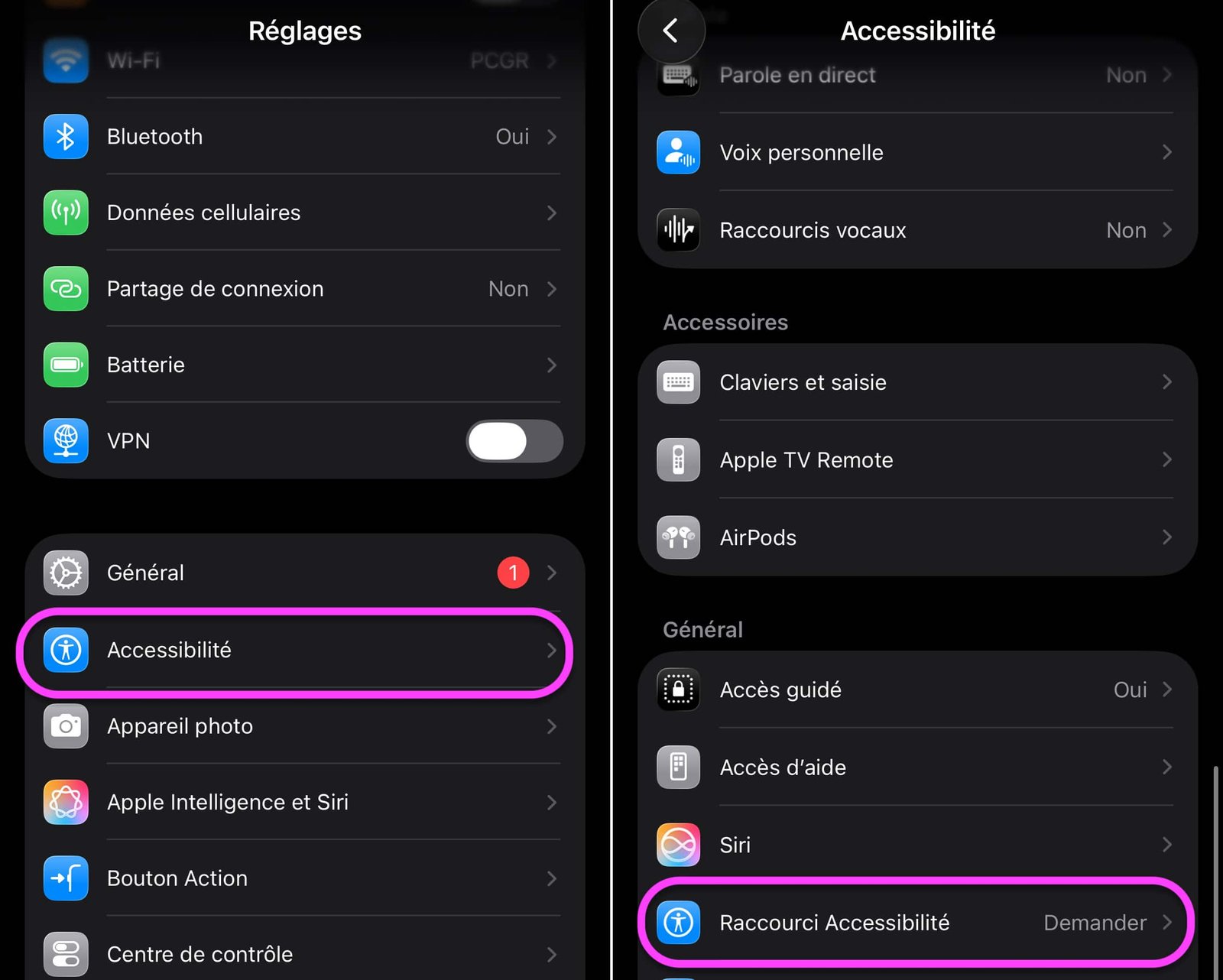
© iOS screenshot by pocketphotography.com
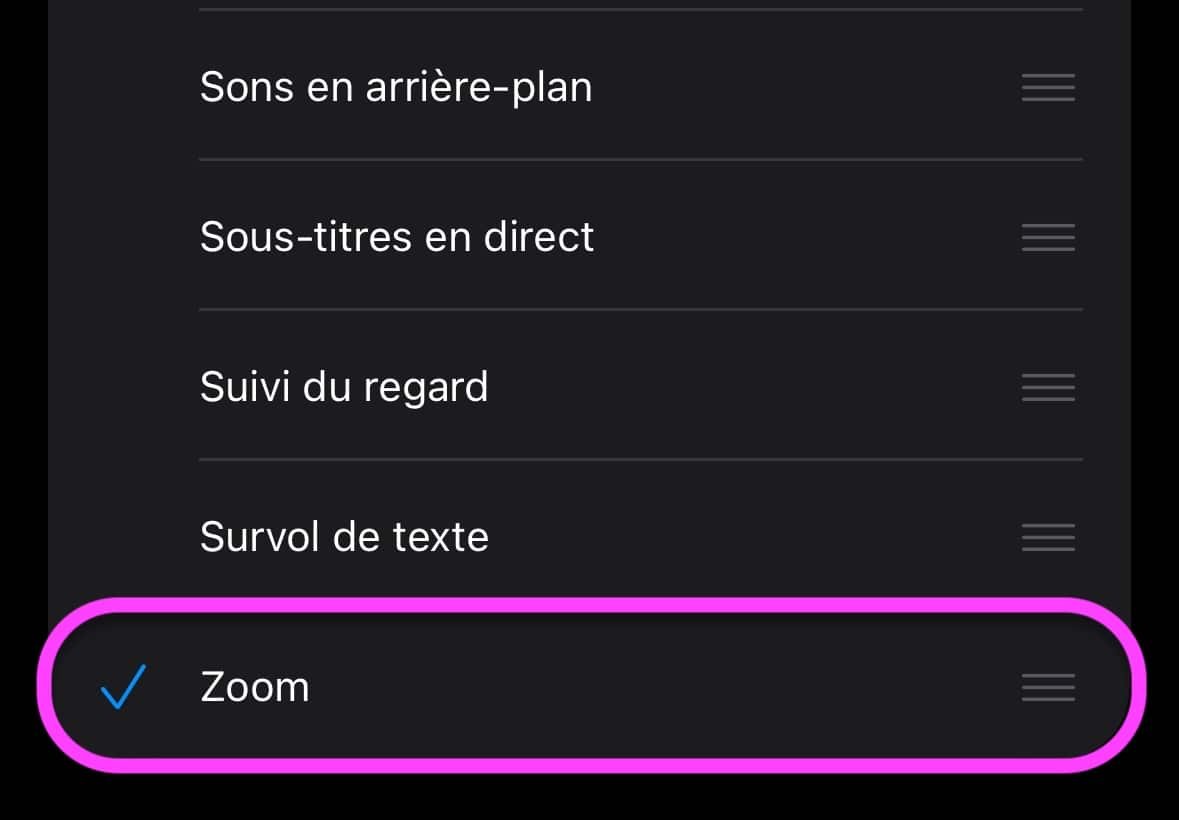
© iOS screenshot by pocketphotography.com
There you go, your low light filter is ready. To activate it:
- Press the Home button or Power button three times for devices without a Home button
- Choose Zoom
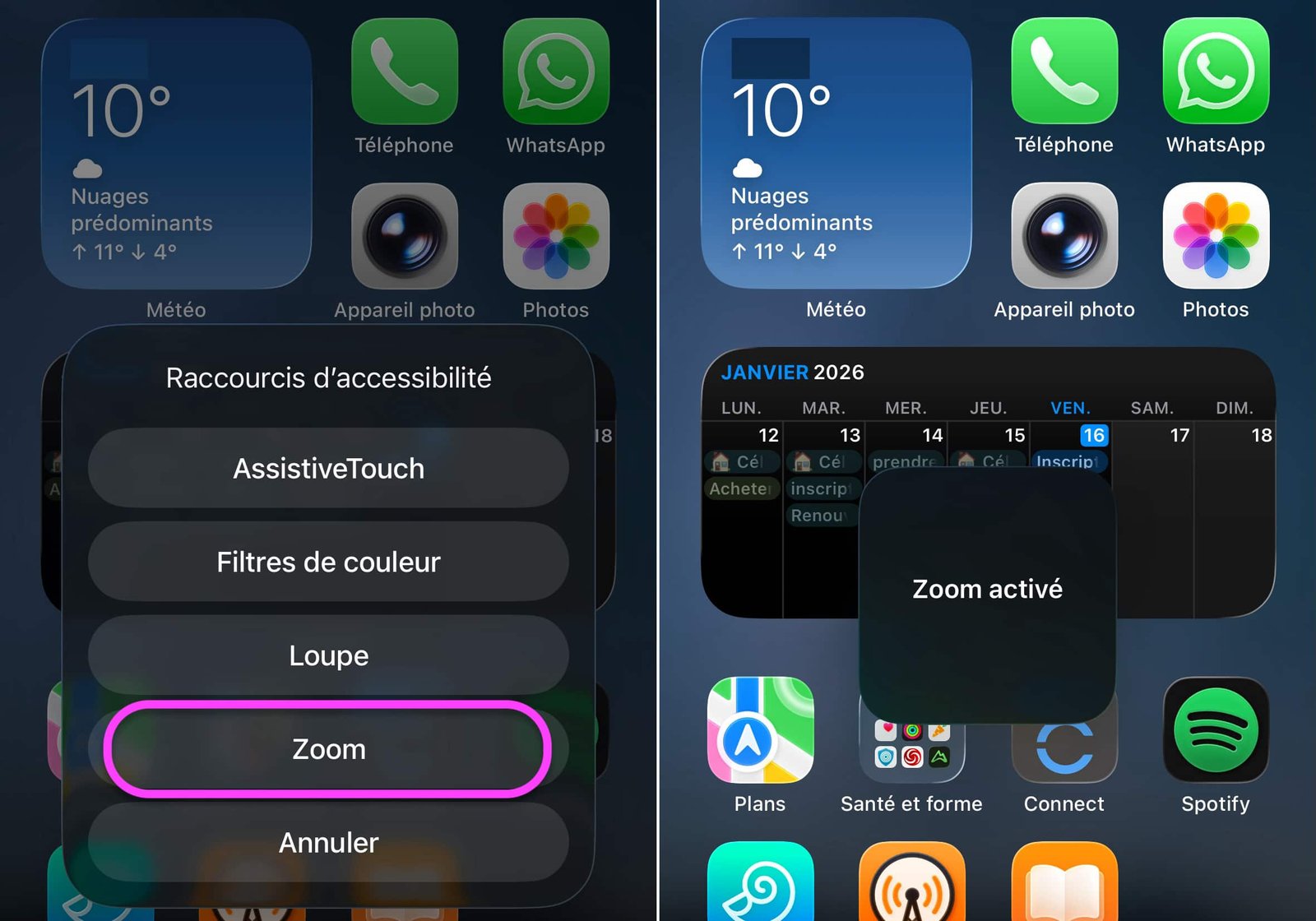
© iOS screenshot by pocketphotography.com
- Zoom out to minimum by double-tapping with three fingers on the screen, holding the second press and pinching your fingers
That’s it, your now enjoy a screen with brightness reduced to a minimum.
To exit Zoom mode, triple-press the Home/Power button again and uncheck Zoom.
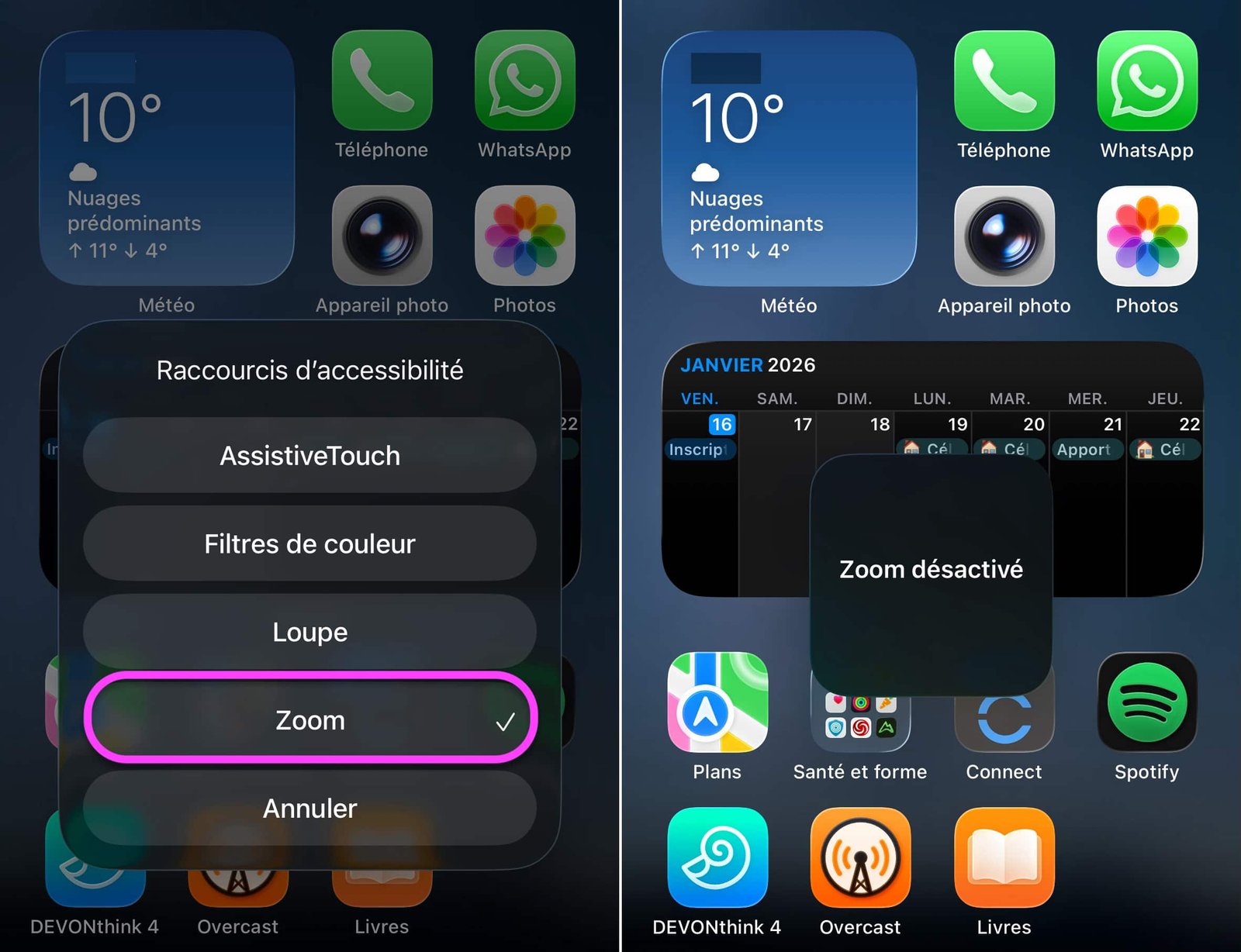
© iOS screenshot by pocketphotography.com
What do you think of this feature?
If you want to learn more about iOS and share it with those around you at the same time, here is a collection of hundreds of tutorials to discover without delay.

pocketphotography.com – Official pocketphotography.com app
By: Keleops AG




