

Did you know that there is a feature in the iOS system that allows you not to disclose your exact location. Let’s see together how to use it and for what purpose.
Why use approximate location on iPhone?
As the name suggests, approximate location detection is a custom setting that allows application developers to not knowing your geolocation preciselybut to obtain only vaguer information, of the order of a kilometer. This way, it is much more difficult to know where exactly you are, a welcome measure of protection.
These days, there are so many publishers asking for your exact location that providing it to each of them risks compromising your personal data. Among the companies that do not hesitate to track you in this way, we find a jumble: Apple Maps maps, the tool for finding friends with Facebook, the sending of instant money between customers of the online bank Revolut or even the social network Instagram. And multiple privacy scandals affecting these companies are not uncommon in recent years.
Tutorial: enable approximate location for each iOS app
Now let’s move on to the tutorial. In the first case, you open an application which asks you to share your location with it: then press the button in the window which appears redirecting directly to the section of the app Settings which is dedicated to the app in question.
No products found.
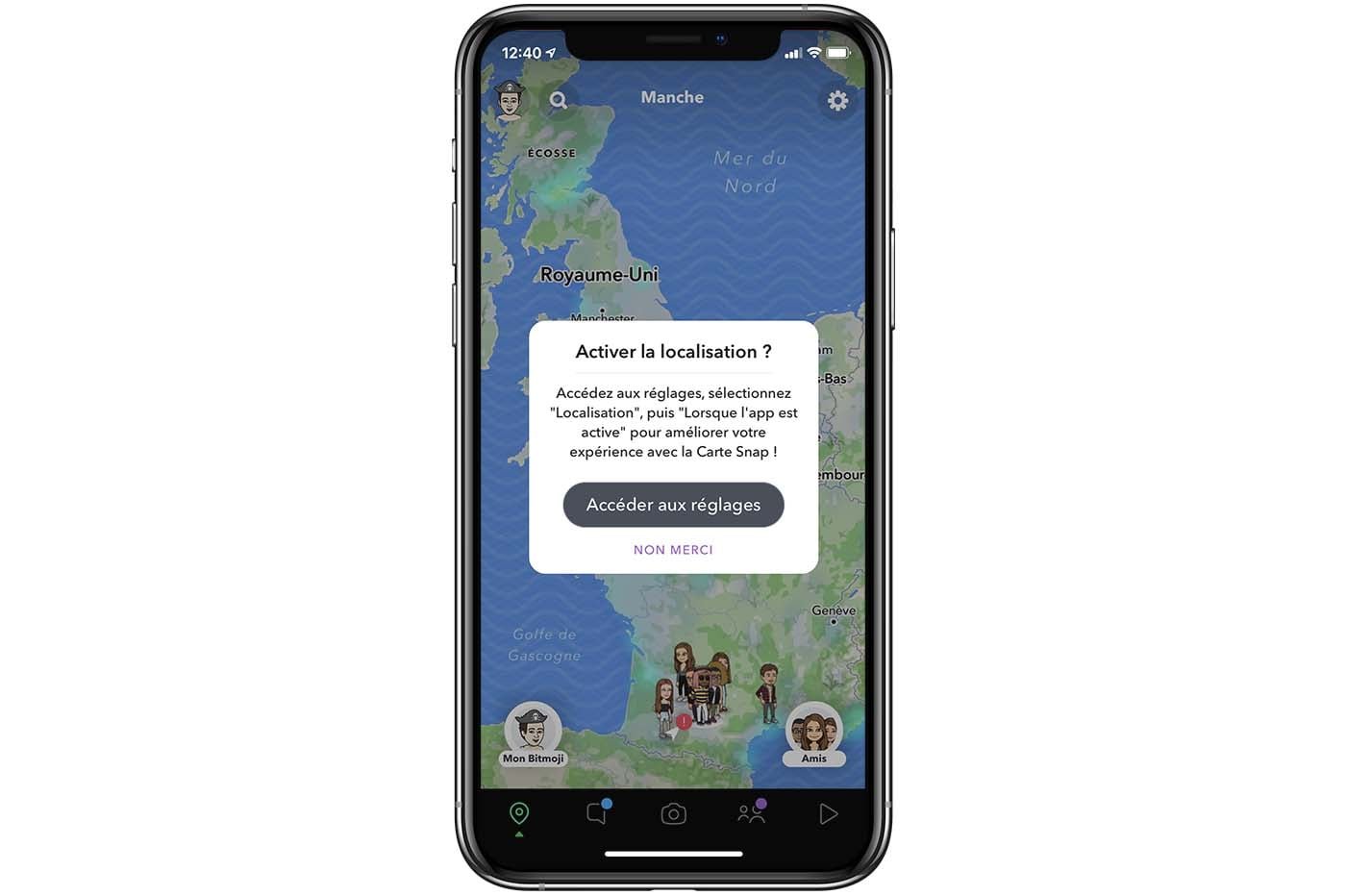
Approximate position iOS © pocketphotography.com
Otherwise, if you want to activate the approximate position manually, you can go to this menu yourself by directly opening “Settings”, then “Apps”, before searching for the name of the app whose authorization you wish to modify.
Next, you have to touch “Position”, as you can see at the top of this screenshot:
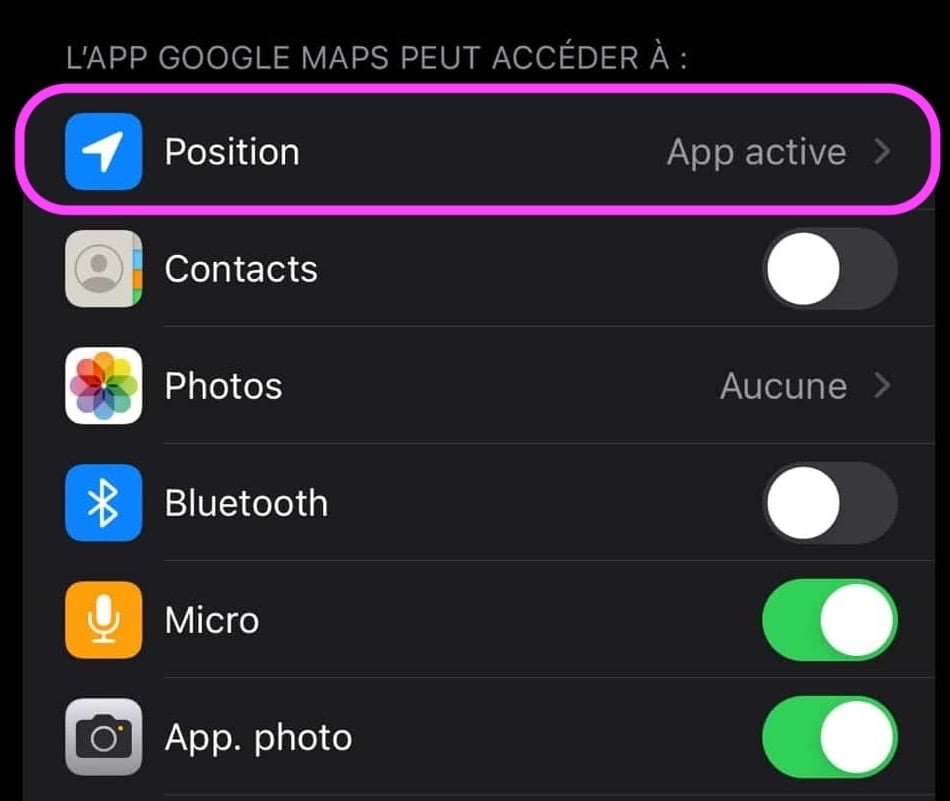
© iOS screenshot by pocketphotography.com
We recommend clicking “When the app is active” or “When using the app or its widgets” to avoid having your approximate location constantly tracked.
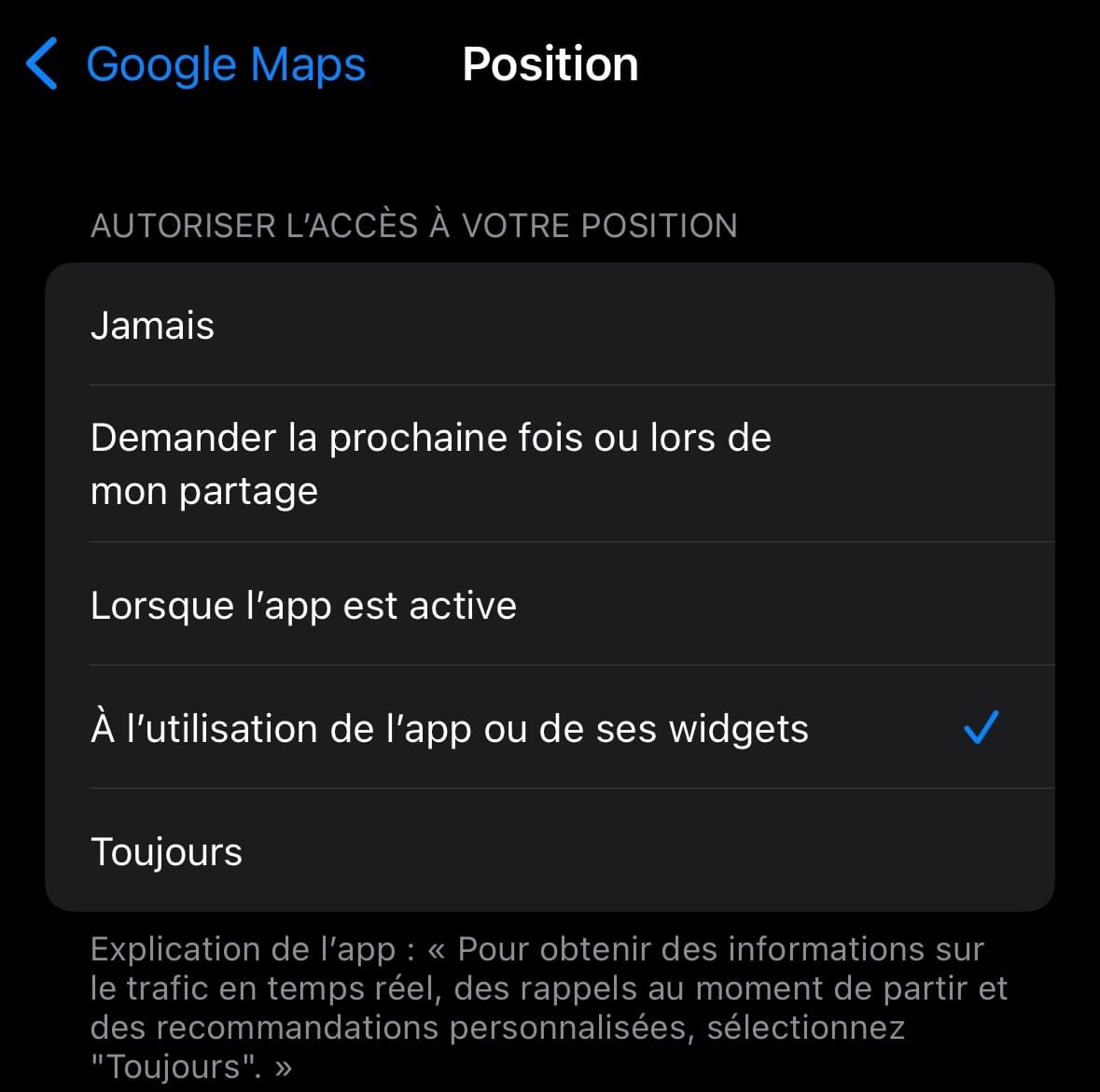
© iOS screenshot by pocketphotography.com
And finally, for enable approximate positionsimply press “Exact position” for the setting to change from green to gray:
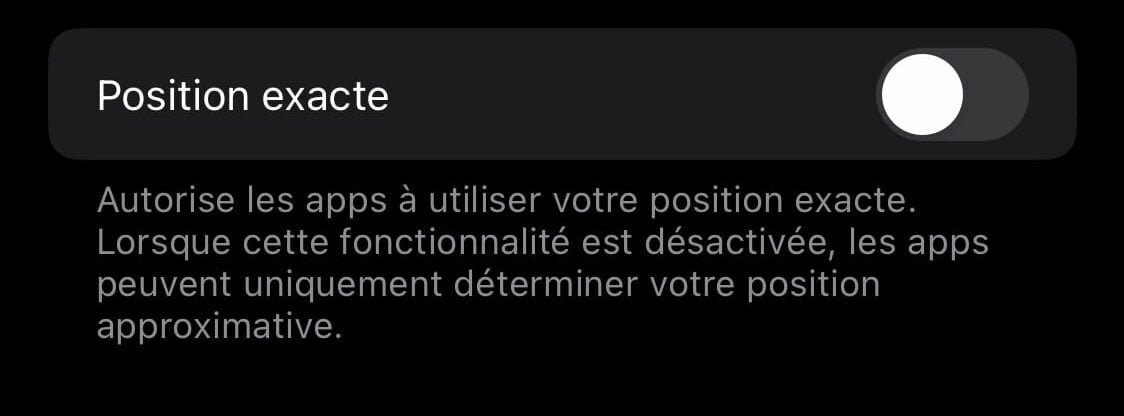
© iOS screenshot by pocketphotography.com
Attention : It is possible that the application to which you only gave access to the approximate location continues to determine your precise location for a few minutes, based on the parameter defined previously. It is therefore recommended to restart to take full advantage of the change. To do this, open the app then swipe from the bottom to the right to display multitasking. A final swipe up will end the process.
The disadvantages
For all its benefits, only providing access to your approximate location can also be counterproductive. In fact, you should only deactivate the exact position for applications with which you do not use it regularly. Let’s take some examples: If you often follow Google Maps directions to travel, then you will not be able to get an accurate route since your precise starting point will not be detected by GPS.
And to know iOS and its many settings even better, don’t hesitate to consult our hundreds of tutorials.

By: Keleops AG




