
Updated March 24, 2026: iOS 26.4 is available, here we explain everything you need to know about the update for iPhone
Apple has just presented the second beta version of iOS 26.4. Reserved for developers, it allows new features to be tested before anyone else, with the risk that they may still be affected by bugs and other errors. An essential full-scale testing period for Apple.
We already talked to you in this article about the main new features brought by iOS 26.4 (beta 2). Today we are going to list other new, more discreet products that you may not have tried yet. We discovered 5 changes in this beta version.
Liquid Glass again and again
You need to have an eye to differentiate between the two versions of the “edit” button available at the top of your home screen. With the second beta version of iOS 26.4, Apple gives it a new look, with an effect Liquid Glass even more pronounced.
No products found.
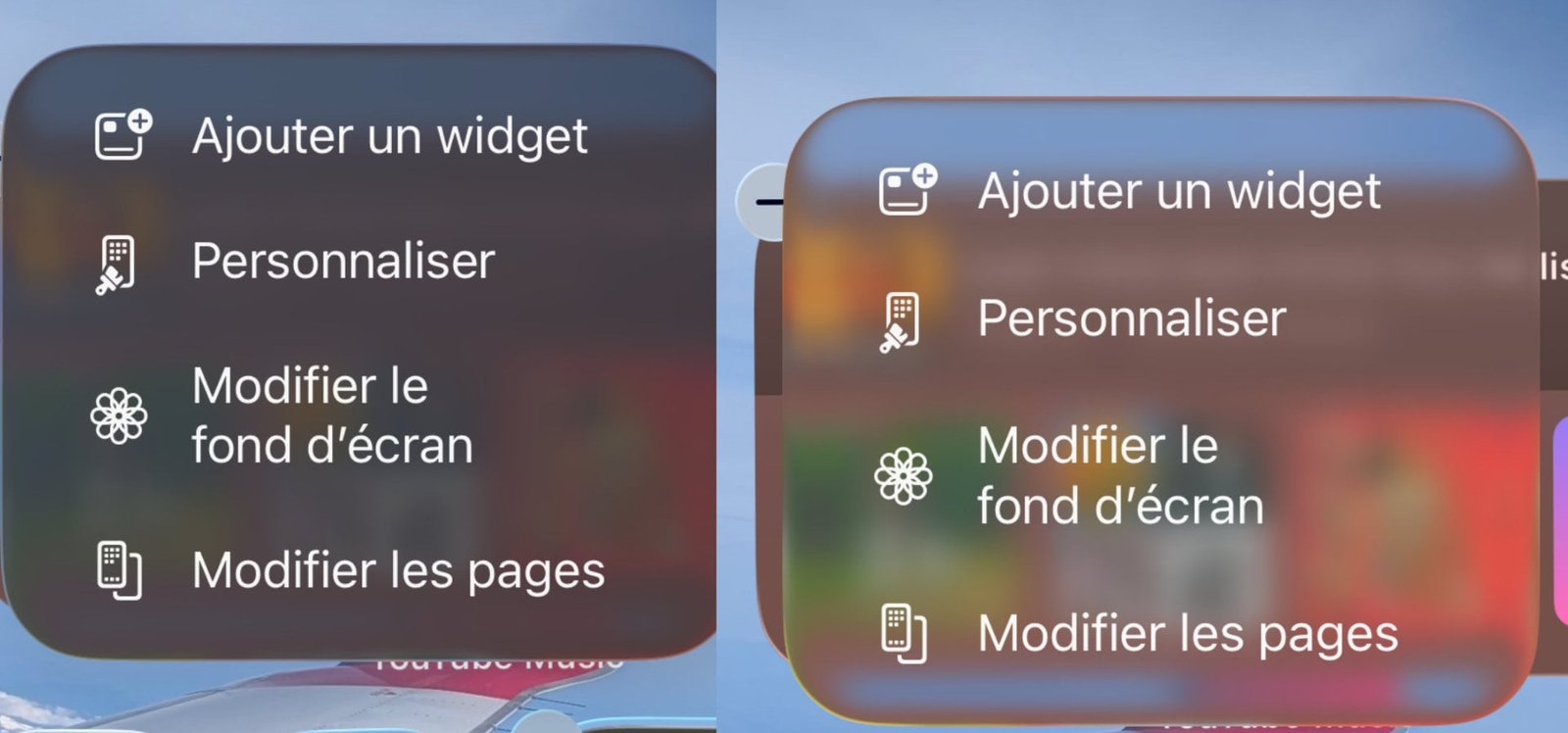
On the left the display under the first beta version of iOS 26.4, on the right the evolution brought by Apple with the second beta of iOS 26.4 © Screenshot pocketphotography.com
This button is only visible after a long press on the home screen. You must then click on the small “+” which appears at the top left of your screen. A menu will then be displayed. It offers you to add widgets, personalize your screen, modify the wallpaper or even modify the pages.
Search bar in the games application
We already told you about it in this article, but the search bar in the Games application has been moved by Apple. The Cupertino company does not provide any explanations regarding this change. Its arrival in the second beta version of iOS 26.4 suggests that Apple could confirm this choice to the general public during the release of iOS 26.4, scheduled for the end of March or the beginning of April.
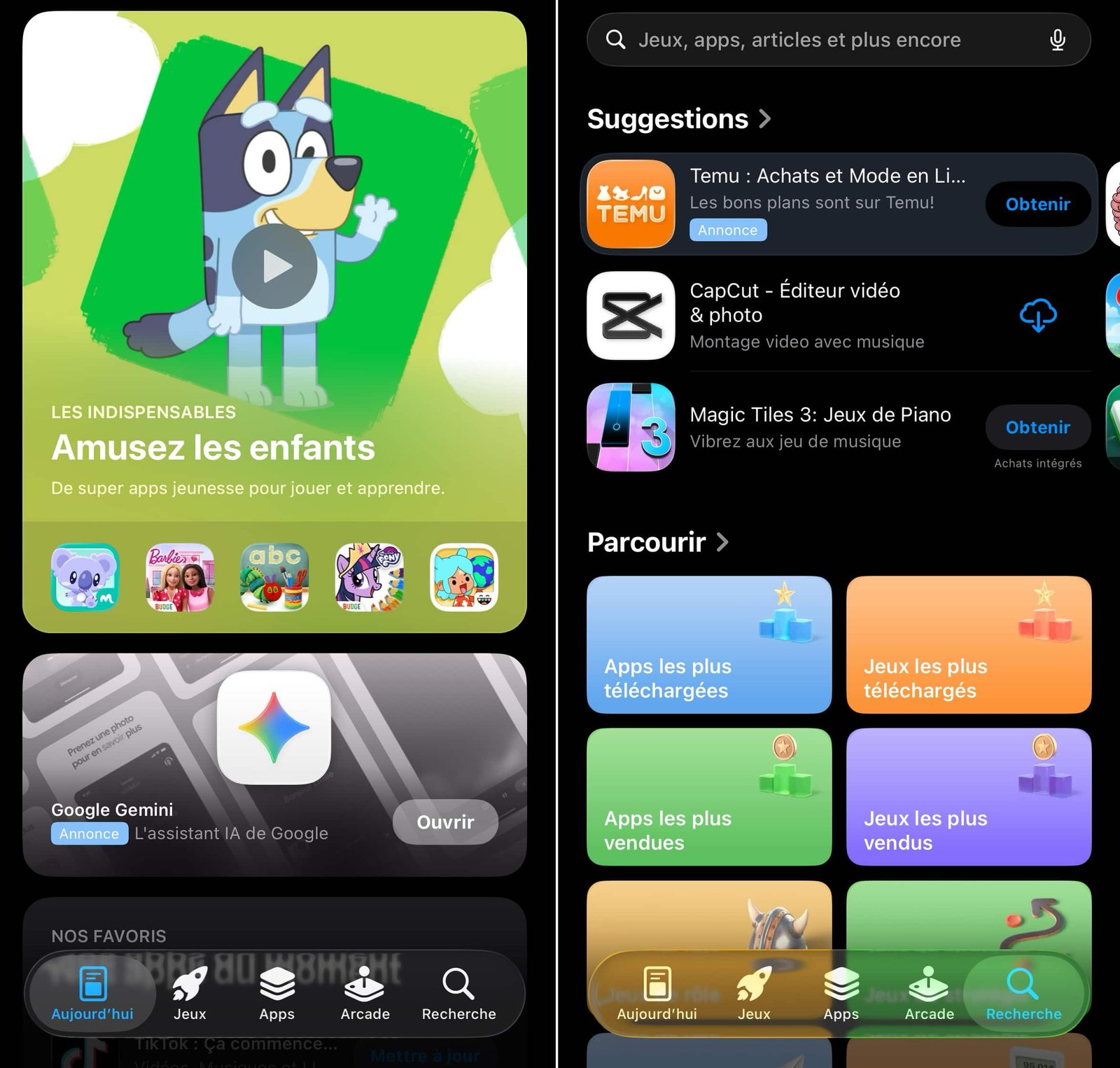
The new interface of the Games application © iOS screen capture by pocketphotography.com
New accessibility setting
Apple makes it a point of honor to ensure that its devices, particularly iPhones, are usable by as many people as possible. Over the years, special features have been developed by Apple that make using an iPhone easier. With iOS 26.4 beta 2, a new option is added to this list.
It is about “Reduce Highlighting Effects”. With this new option, users who wish will be able to modify the highlighting effects around buttons and sliders. An option that improves screen readability, essential for some people with vision problems.
A design change in the App Store and Apple Music
These are the kind of small details that may not seem like much, but make all the difference in the user experience. Apple has reworked the alignment of the text on its “Account hub”, the “profile” page visible on the App Store and Apple Music in particular. Text previously centered and now aligned to the left, for clarity.
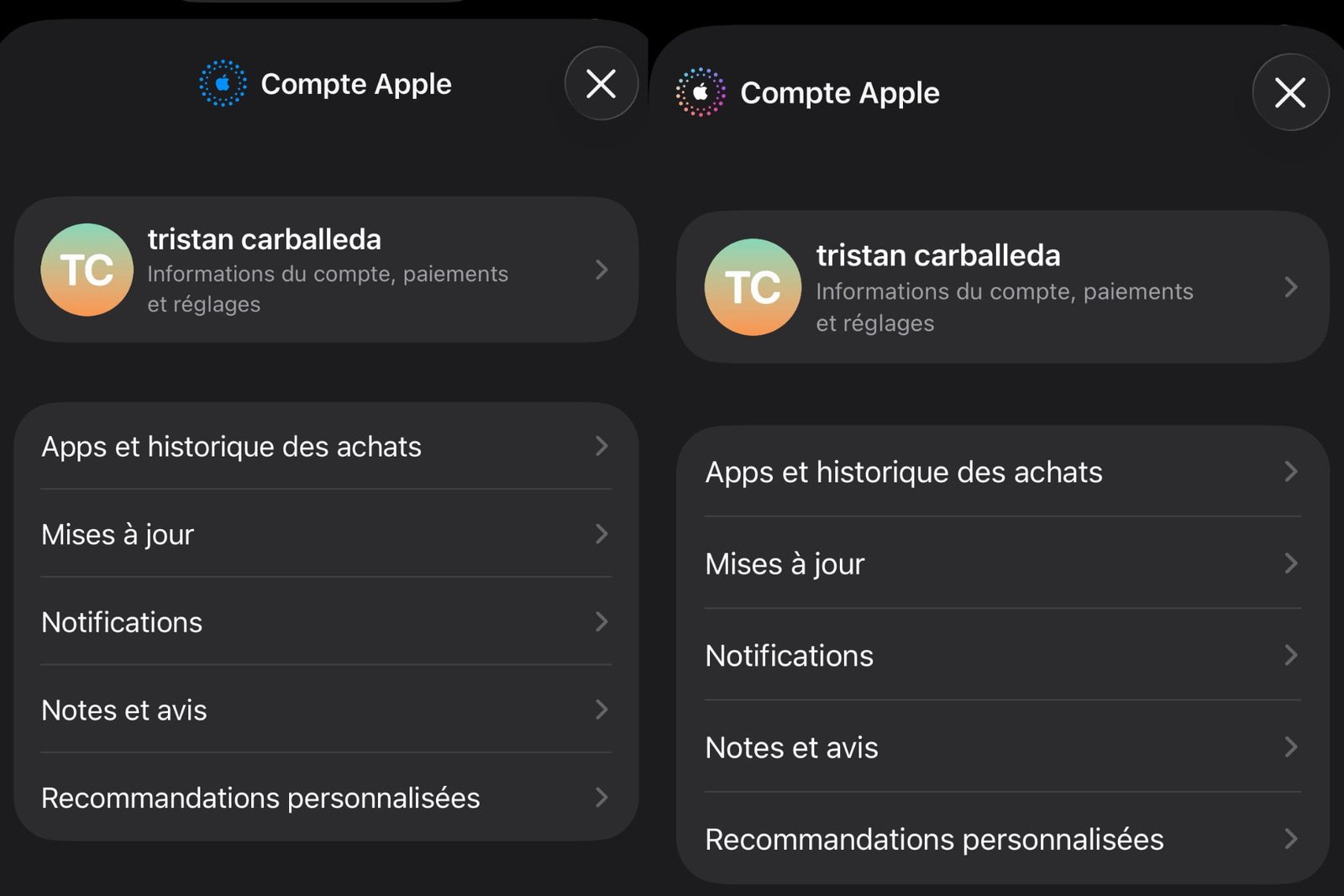
On the left, the first beta version of iOS 26.4, on the right the 2nd beta version, with the new logo © Screenshot pocketphotography.com
In addition to changing the alignment of the text, this 2nd beta version allowed Apple to modify the logo. She now uses a rainbow version.
View OS build number
Apple allows with iOS 26.4 beta to display the number of build (a sort of identification number) of the update in use. To display this data on your screen, you must go to the Settings application of your iPhone then to general and finally to Software update. With iOS 26.4 — beta 2, the number of build is the following: 23E5218e.

By: Keleops AG




