

By default, iOS and many apps take advantage of Apple’s iCloud storage to store user-created files. This is particularly practical, because this type of backup allows files to be synchronized between Mac, PC and other iPad machines, with the latest modifications made. But not everyone necessarily wants to use the homemade “cloud drive”.
Fortunately, it is possible for some apps to do without it and use other online storage services, such as DropboxOr Google Drive.
This type of need concerns those who prefer to use third-party cloud storage, either because they already have a paid subscription elsewhere than with Apple, or to avoid saturating their iCloud Drive. Others may prefer to turn to a hyper-secure storage service and/or based in France or Europe.
In any case, the handling is simple. Here it is detailed.
No products found.
Add the cloud to use in the “Files” application
First of all, you have to go to the Files app to add cloud storage as available locations for applications:
- In the Files app, tap the three settings dots at the top right
- Then choose “Modify”
- Add the third-party cloud service(s) to use by toggling the corresponding switch
- Validate by pressing the blue button at the top right
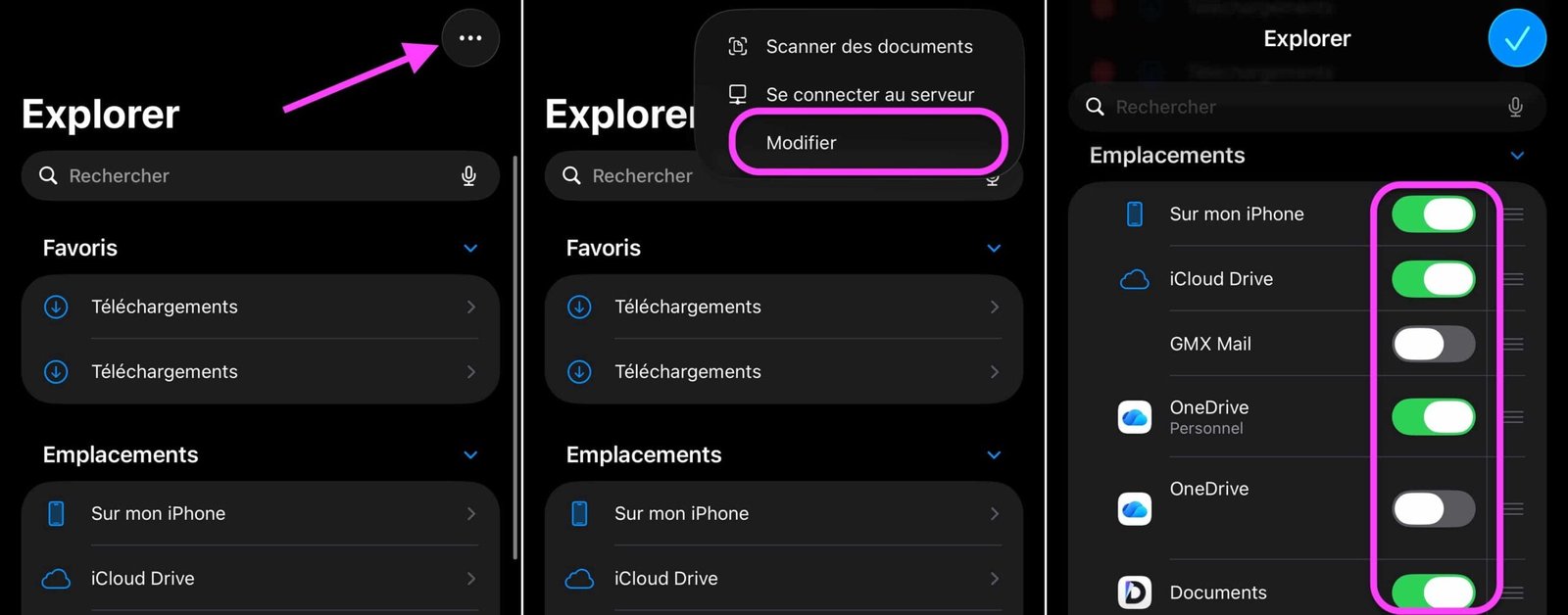
© iOS screenshot by pocketphotography.com
Configure the relevant applications
It will then be a question of set the default storage for each appno longer to iCloud Drive, but to the chosen third-party service: Dropbox, Google Drive, or another compatible with this functionality. The manipulation must be carried out for each compatible application:
- Go to the application Settings
- Scroll to the bottom to find the “Apps” heading.
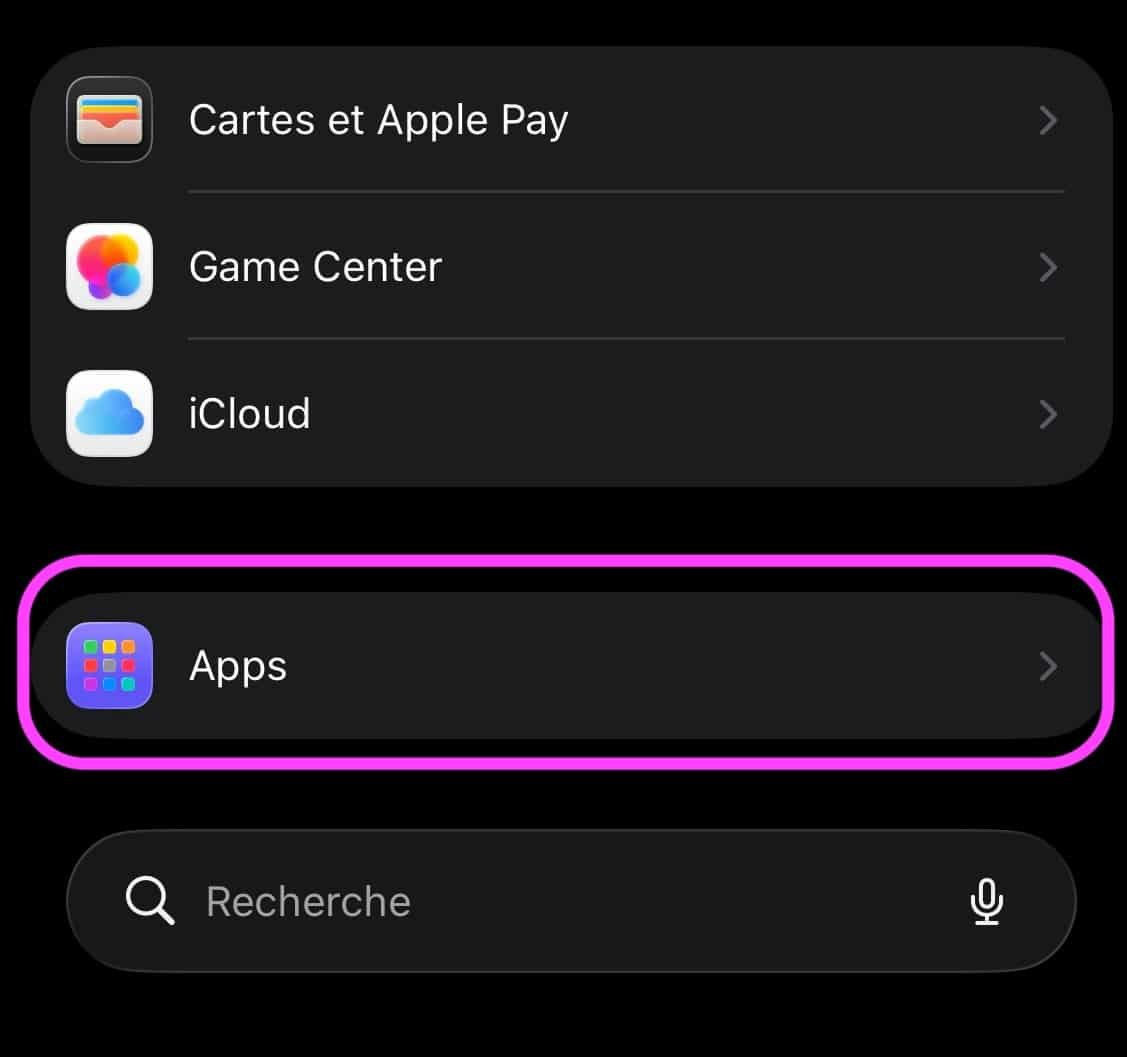
© iOS screenshot by pocketphotography.com
- Tap the name of an app to access its settings page
- Choose “Document Storage”
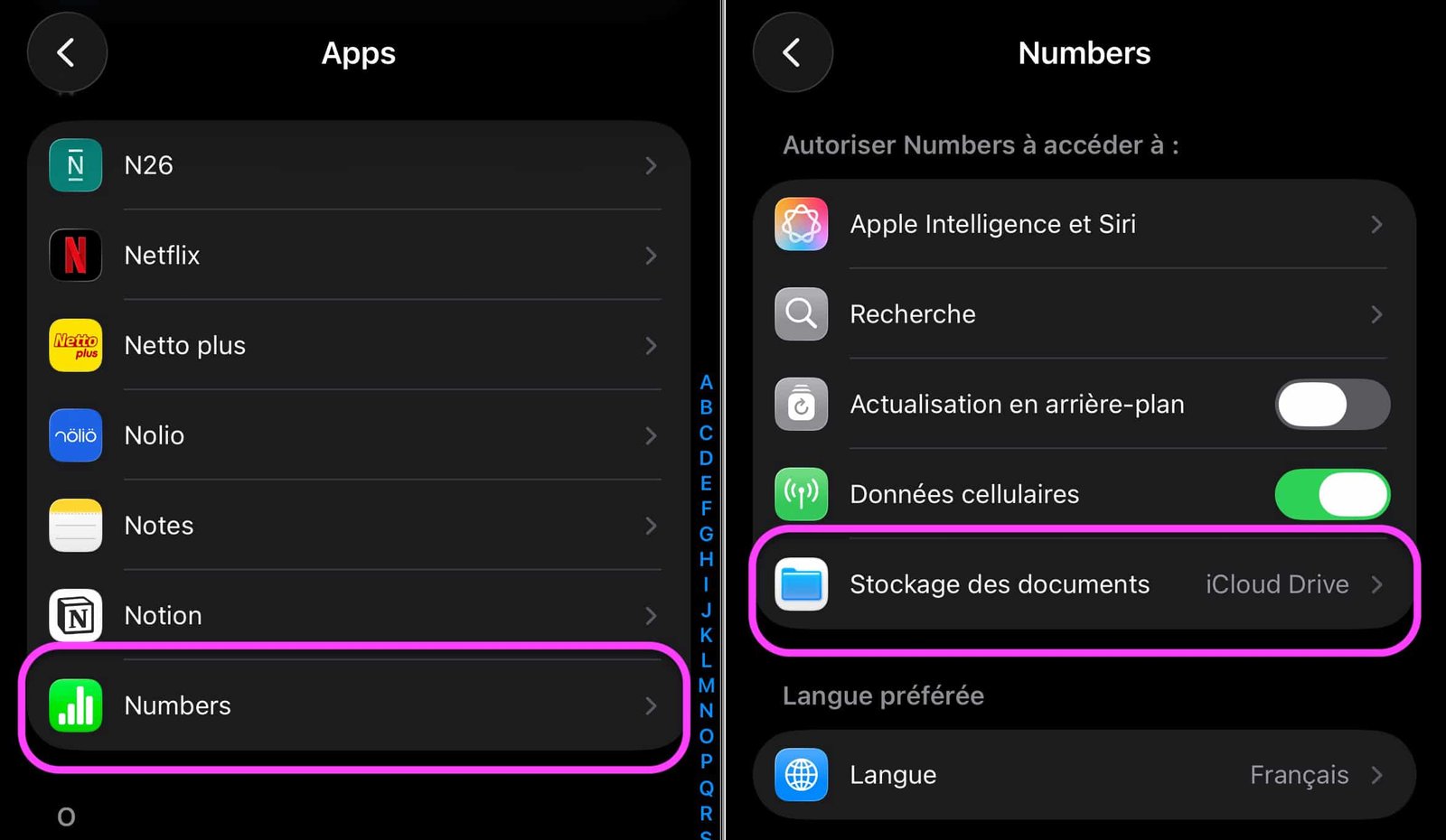
© iOS screenshot by pocketphotography.com
- Change document storage destination
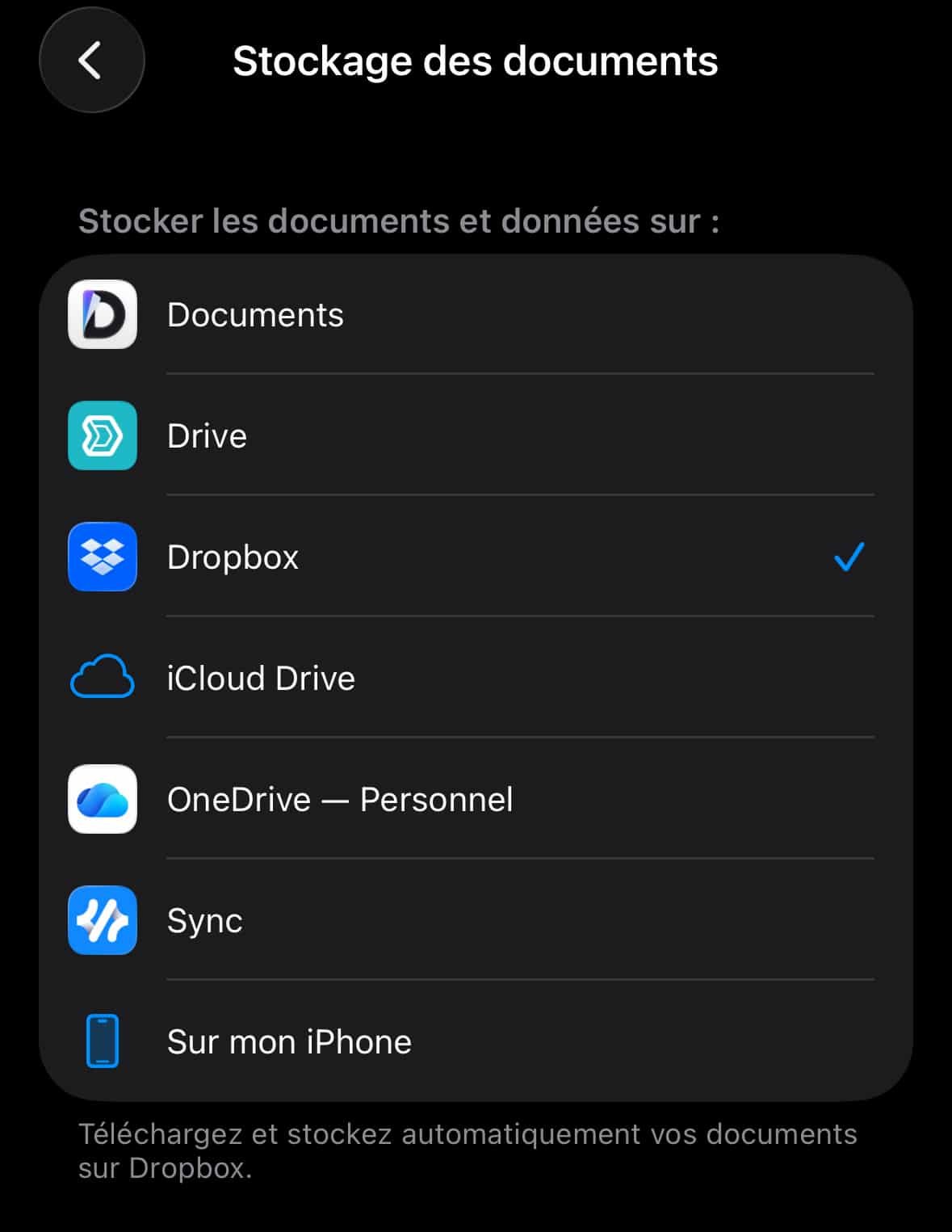
© iOS screenshot by pocketphotography.com
The majority of Apple apps allow this change, as well as many third-party apps, such as Zoho Notebook. But this is not the case for everyone, unfortunately. Pixelmator does not allow it, for example.
Despite everything, just for Pages, GarageBand, Numbers, and many other software, taking advantage of another storage in the cloud can be very practical.
Finally, it should also be noted that the destination change function allows you to choose save files locally only. Here again, it is useful if you want to avoid saturating your online space, to keep files protected from any outside eyes or to avoid using internet data all the time.

By: Keleops AG




