
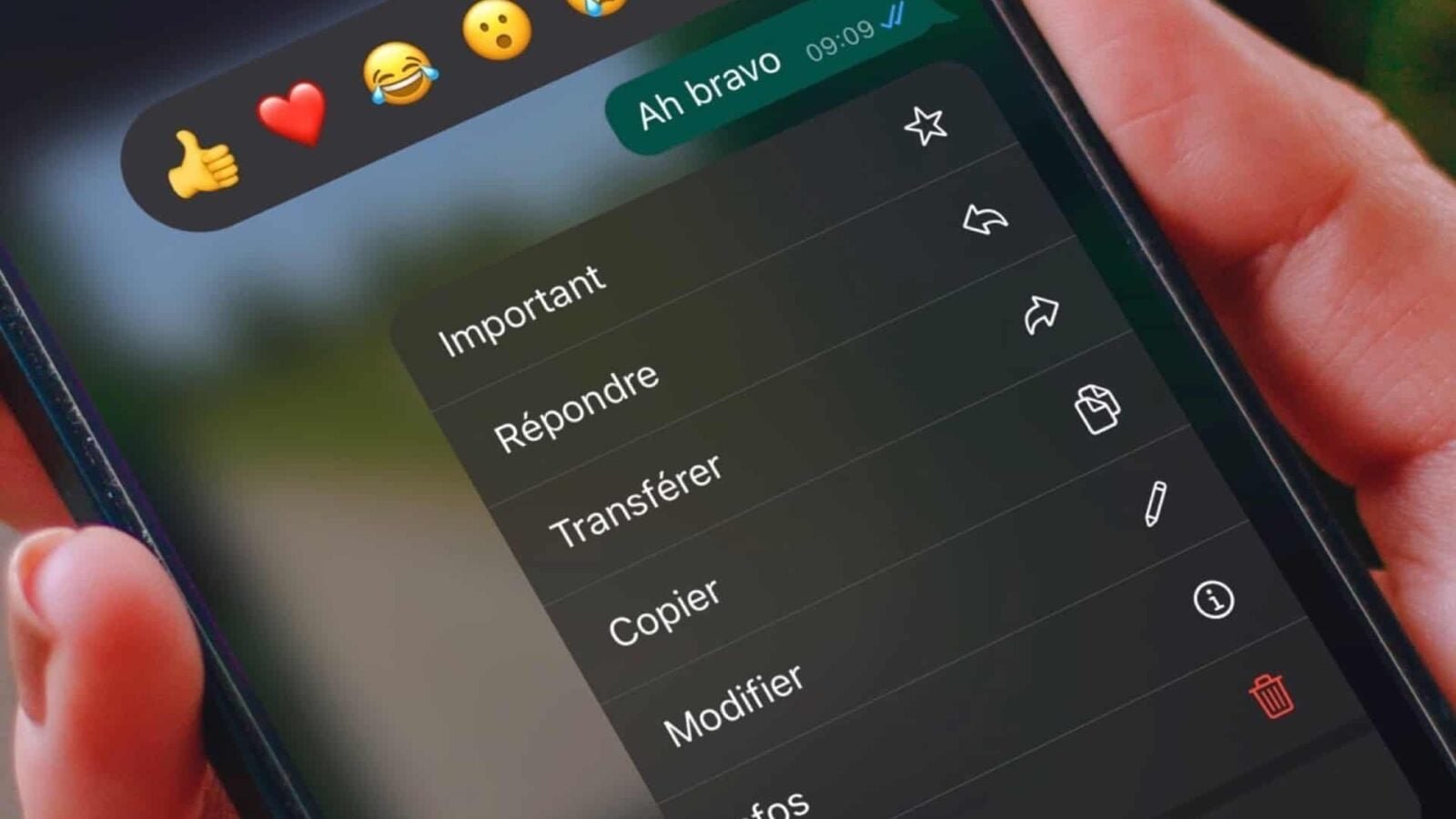
Imagine the situation: you send a WhatsApp message to someone you just met, but the iPhone’s autocorrection completely transforms a word and makes your sentence incomprehensible. Or even worse: the meaning of your message completely changes!
No stress! WhatsApp allows you to edit a message already sent for a certain period of time. Here we explain how to avoid being seen as what you are not (head in the air, illiterate, etc.).
How to edit a WhatsApp message already sent?
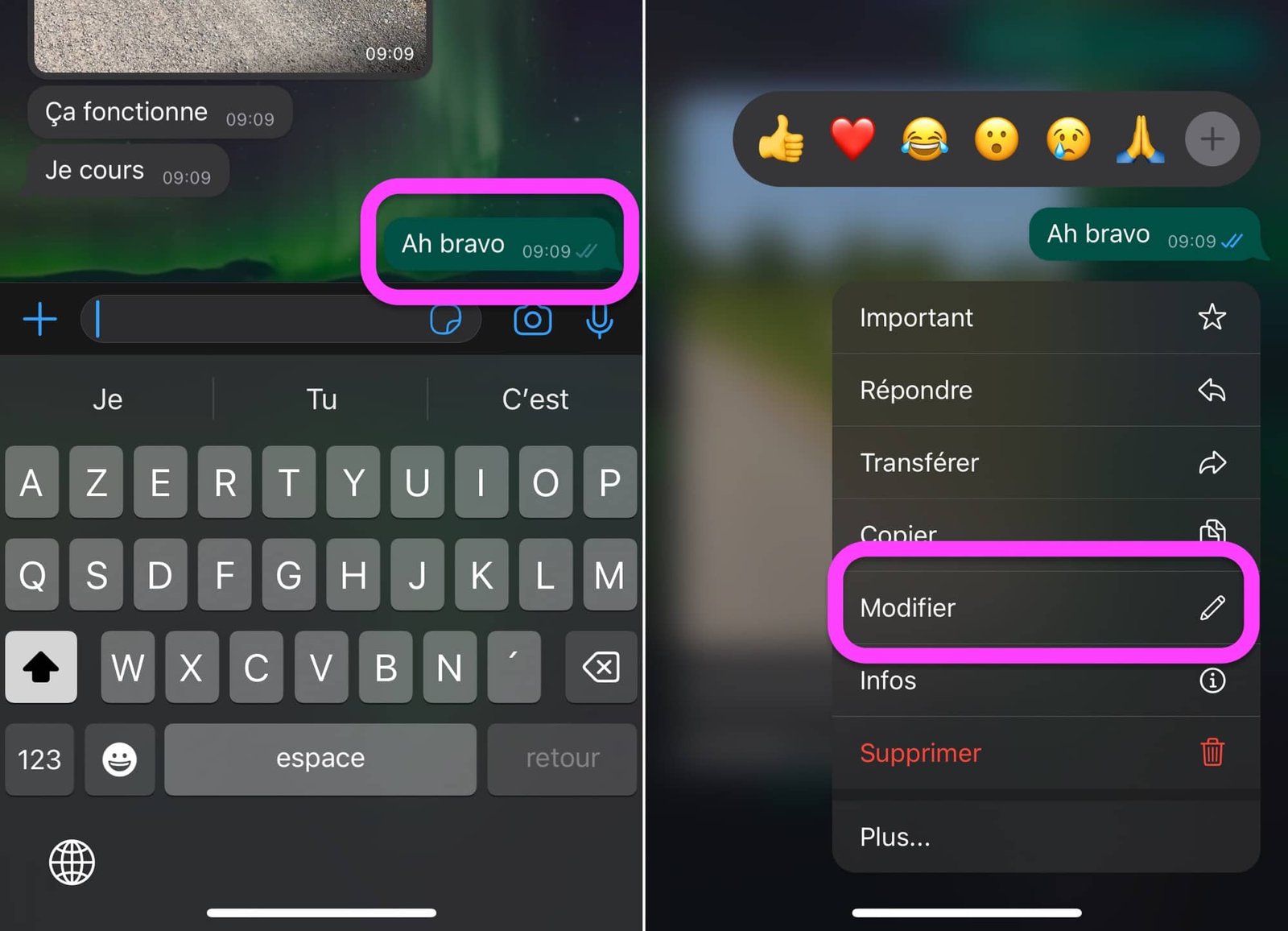
You can edit your messages already sent in your discussions, up to 15 minutes after sending. Here’s how:
- On a message published less than 15 minutes ago, do a long press
- Tap “Edit”
No products found.
© WhatsApp screenshot by pocketphotography.com
- Edit your message then validate
- And there you have it, your edited message is visible to all participants in the conversation with the mention “Modified”
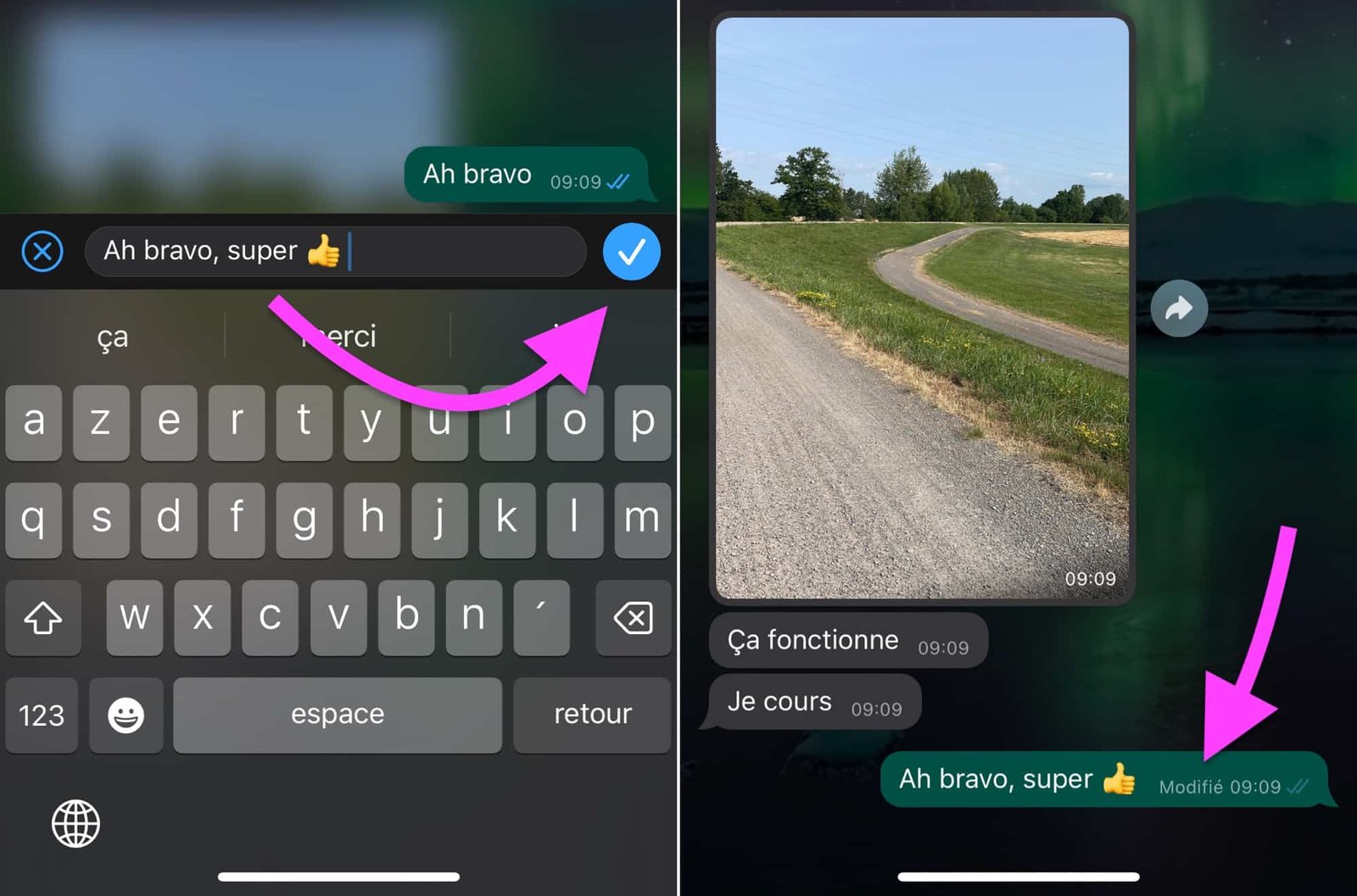
© WhatsApp screenshot by pocketphotography.com
Remember that Apple Messages also has this functionality since iOS 16 and iPadOS 16. Moreover, the delay is the same for editing: 15 minutes. Messages also offers the possibility of canceling the sending of the message, the equivalent of the “Delete” function of WhatsApp.
In any case, this is enough to avoid misunderstandings with the possibility of correcting typing errors that are sometimes very misleading about the meaning of our writings…
Remember that the WhatsApp application is free and find it here on the App Store.
Who has never regretted self-correcting one word for another in a message already sent to their parents or their partner?

By: Keleops AG




