
You have updated your iPhone to iOS 26 and you have noticed that new new applications are available. One of them is called “Preview”. This name may mean something to you and that’s normal. On macOS, the Preview app lets you manage image and PDF files. What does she do on iPhone and iPad now? Well the same thing as on macOS, for our greatest happiness!
Here’s an overview of Preview’s capabilities on iPhone. Apple Files and Apple Notes had better watch out!
Consult your PDFs yes, but not only that!
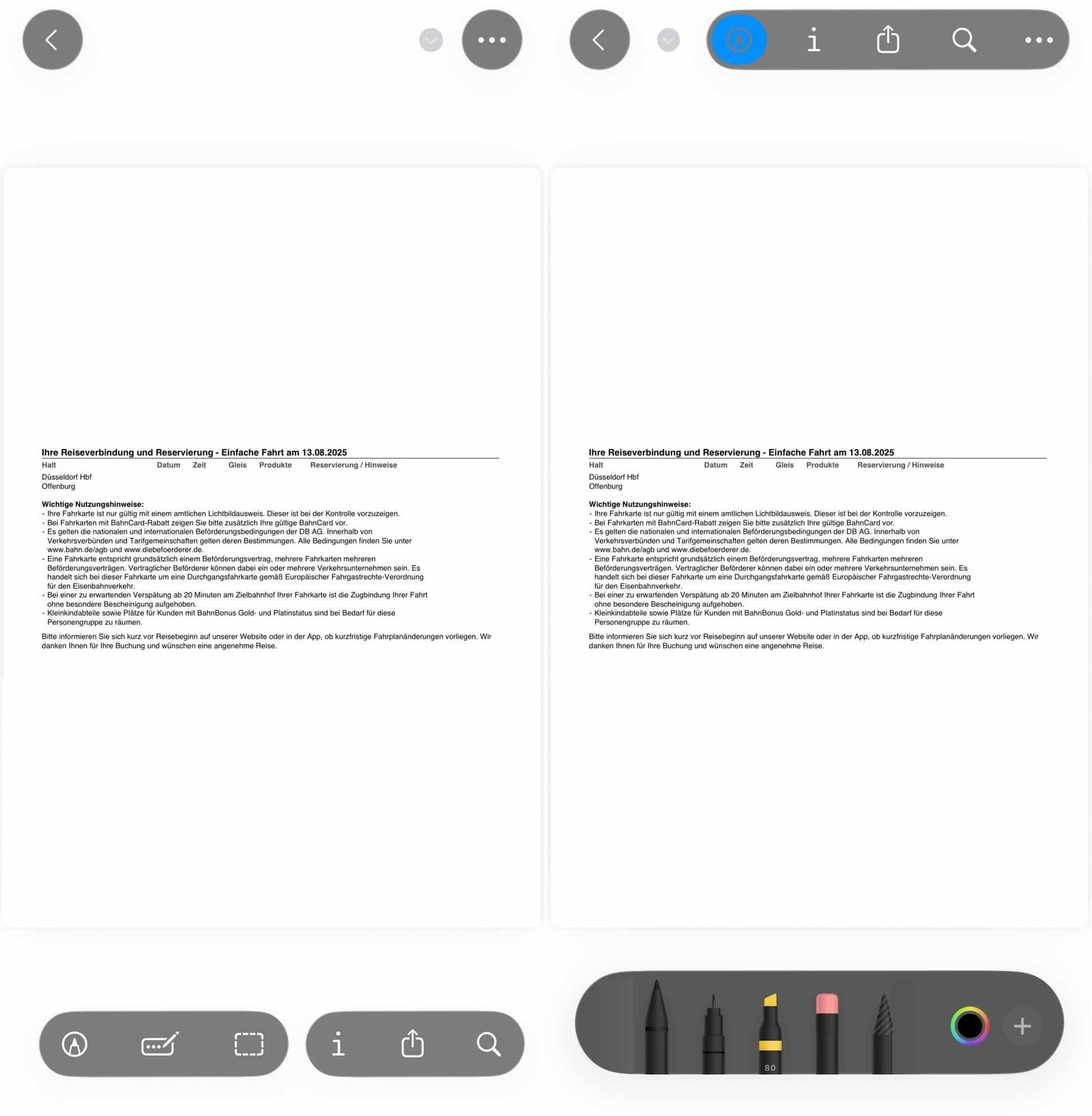
Unlike Files or Notes which allow basic modifications, Preview offers a complete set of tools to manipulate your documents. The interface is presented in the form of a gallery with thumbnails, then offers floating buttons to access the different functionalities once the document is opened.
No products found.
© iOS screenshot by pocketphotography.com
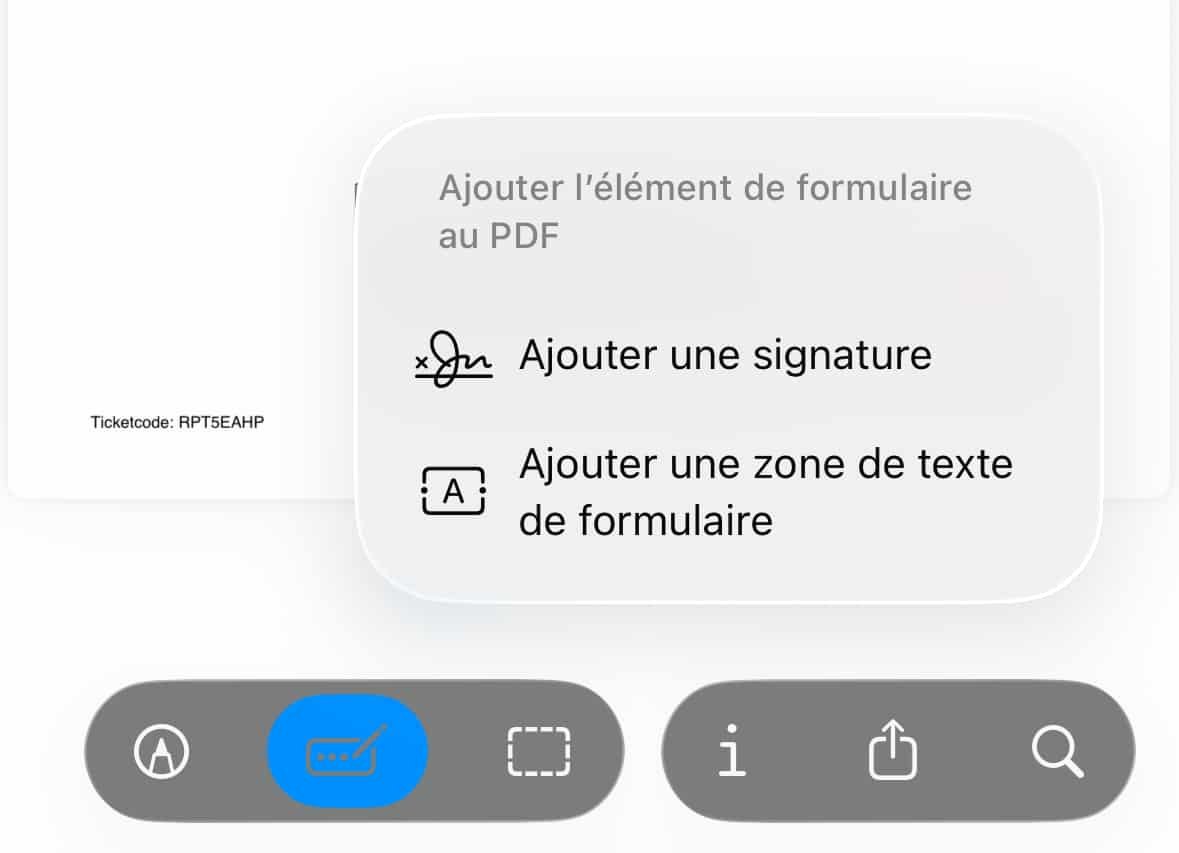
Annotation tools let you draw, highlight text or add shapes with multiple “pencil” styles and colors. THE autofill intelligently detects form fields. This saves you valuable time compared to current methods on iOS.
The famous signature adding function is also there.
© iOS screenshot by pocketphotography.com
Exclusive features
These new versions of Preview for iOS and iPadOS are not simple copies of the Mac app. This new app takes advantage of the specific features of mobile devices, with several exclusive functions. On iPad, Apple Pencil transforms the annotation experience by making it more natural than with a mouse on Mac.
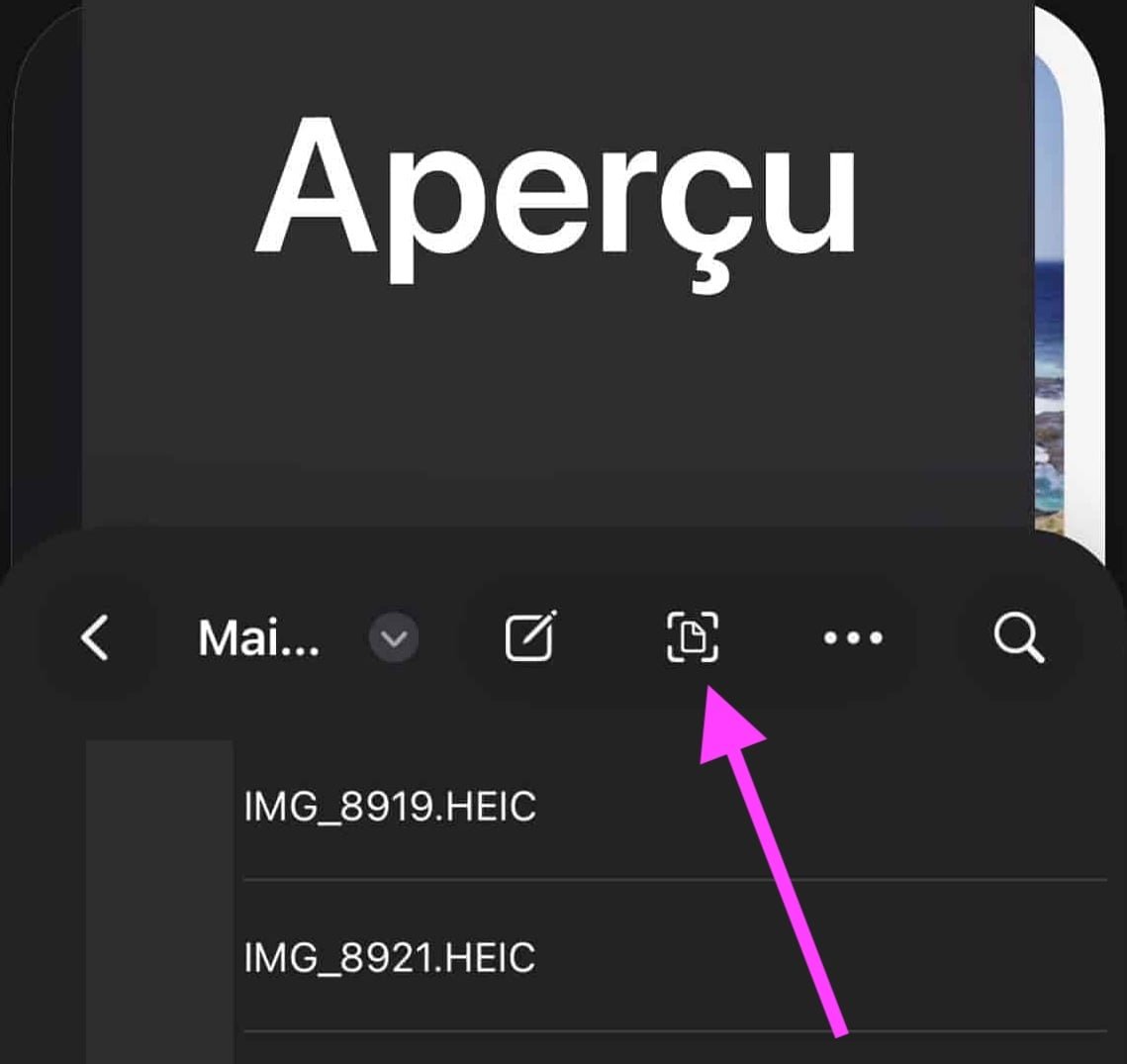
There integrated scanner function allows you to scan paper documents directly into the app.
© iOS screenshot by pocketphotography.com
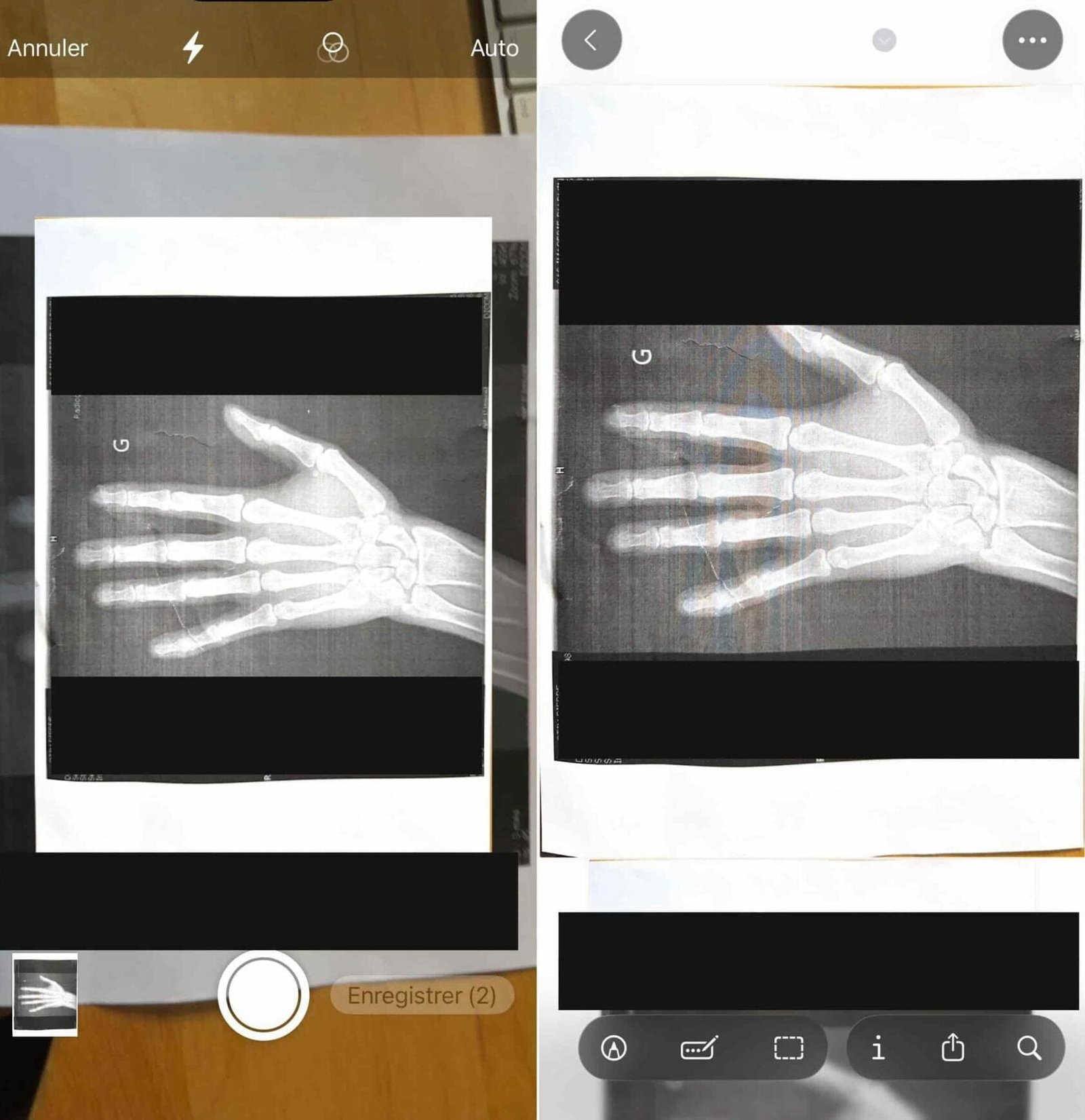
© iOS screenshot by pocketphotography.com
You can also manipulate your images with advanced options, like background removal or converting between different formats (HEIC, JPEG, PNG and TIFF). These features go far beyond what Files or Notes currently offer.
A complete toolbox for your PDFs
Overview particularly excels in advanced management of PDF documents. You can merge multiple documents, rearrange pages by simply dragging and dropping, or delete unnecessary ones. The app also lets you extract specific pages or adjust file sizes.
For images, the editing capabilities range beyond simple cropping. The background removal function allows you, for example, to generate an independent image in PNG format, with a transparent background.
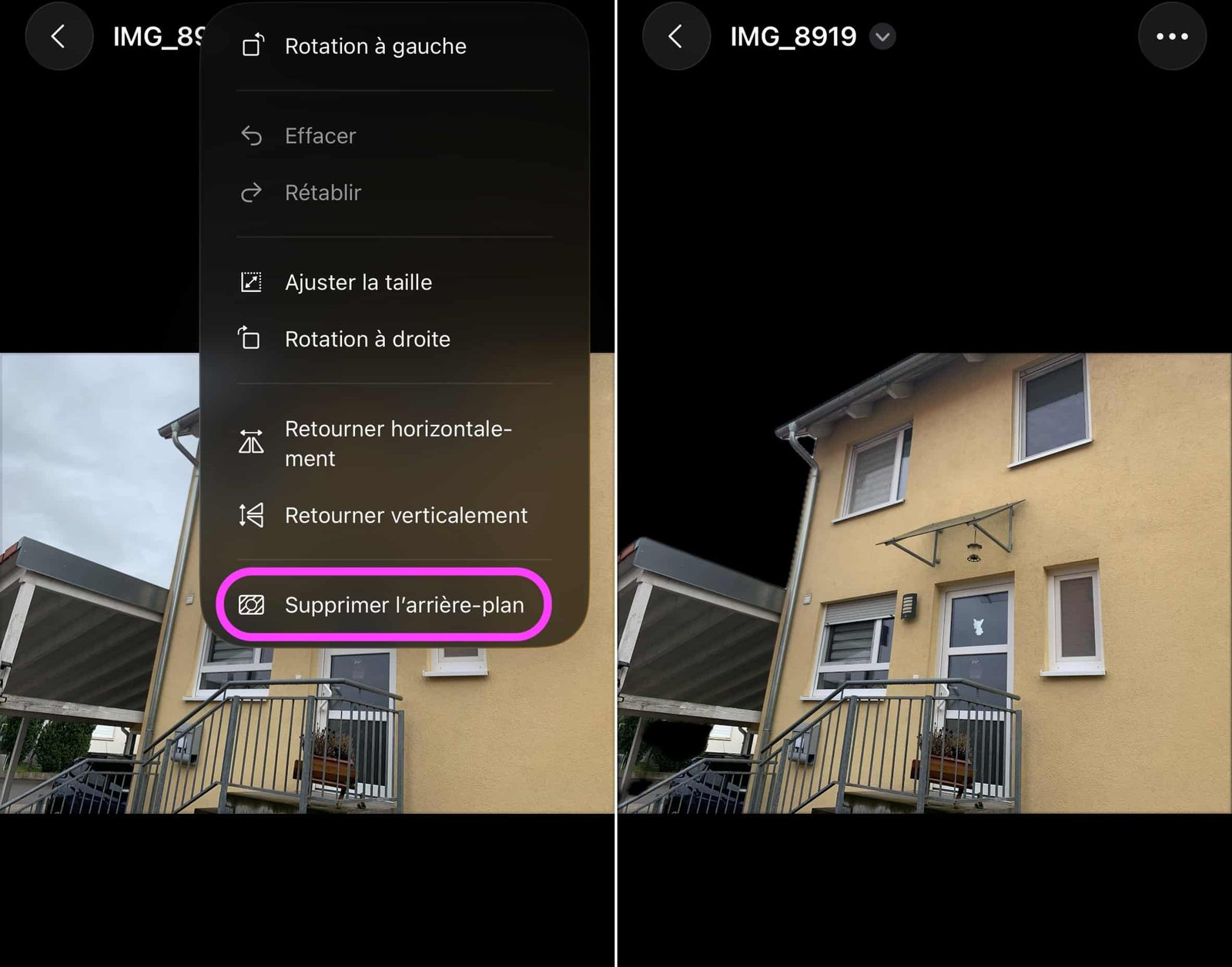
© iOS screenshot by pocketphotography.com
You can also create new images from the clipboard or draw on a blank page.
Some features of the Mac version remain absent, such as color adjustment or password protection. The essentials are nevertheless present to make Preview an essential tool on iPhone.
To discover all the new iOS 26 features, go here.

By: Keleops AG




