Introduction
The iPhone has revolutionized the world of photography by offering powerful camera capabilities in a compact, mobile device. With each new iteration, Apple’s iPhone cameras continue to push the boundaries of what is possible in mobile photography. However, one limitation that many photographers face is the battery life, which tends to drain quickly during intensive shooting sessions. This article explores how to optimize your iPhone photography by ensuring your device remains charged while shooting, allowing you to capture the perfect shot without interruption.
Understanding iPhone Battery Usage During Photography
Before delving into strategies to keep your iPhone charged during photography, it’s essential to understand why the battery drains quickly. The iPhone camera app utilizes a significant amount of processing power, especially when using features like Portrait Mode, Night Mode, or shooting 4K video. Additionally, screen brightness, GPS location for geotagging photos, and wireless connections such as Bluetooth or Wi-Fi further contribute to battery consumption.
Tips to Conserve Battery Life While Shooting
Adjusting Camera Settings
To optimize your iPhone’s battery life, consider adjusting camera settings to suit your needs. For instance, if you do not require the highest resolution, consider switching from 4K video to 1080p. Similarly, use standard photo modes instead of HDR or Live Photos when not necessary.
Minimizing Screen Brightness
One of the quickest ways to conserve battery life is by reducing the screen brightness. While shooting, ensure your iPhone’s display is dimmed to a level that is still comfortable for viewing, but not unnecessarily bright.
No products found.
Disabling Unused Features
Turn off features that are not in use, such as Bluetooth, Wi-Fi, or Location Services, to save battery. If geotagging is not essential, disabling Location Services for the Camera app can extend battery life significantly.
Charging Solutions for Continuous Shooting
Portable Power Banks
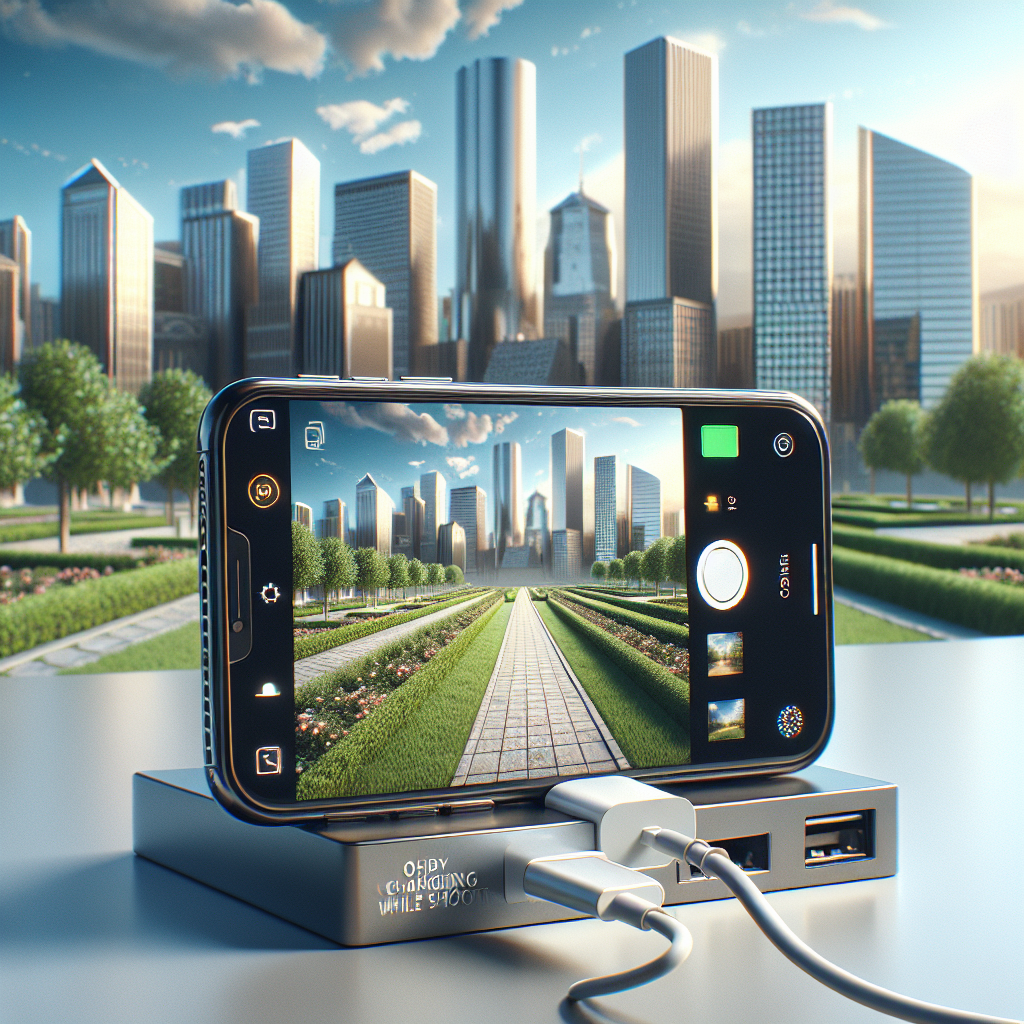
Portable power banks are a reliable solution for photographers on the go. These compact devices can charge your iPhone multiple times, depending on their capacity. When selecting a power bank, consider one with a high mAh rating, lightweight design, and quick charging capabilities. Some power banks even come with built-in cables or wireless charging pads for added convenience.
Battery Cases
Battery cases provide an integrated solution for charging your iPhone during photography. These cases often double as protective gear while providing an additional power source. When selecting a battery case, ensure it is compatible with your iPhone model and offers sufficient capacity to support your shooting needs.
Car Chargers and Adapters
For photographers traveling by car, using a car charger can be a convenient way to keep your iPhone powered. Car chargers plug into the vehicle’s power outlet and can charge your iPhone while you travel between locations. Ensure you invest in a charger with fast charging capabilities for the best experience.
Solar Chargers
For outdoor photographers, especially those in remote locations, solar chargers offer an eco-friendly way to keep devices charged. These chargers use solar panels to convert sunlight into electrical energy. While not as fast as traditional charging methods, they provide a sustainable option for extended shooting sessions in nature.
Leveraging Apple’s MagSafe Technology
MagSafe technology, introduced with the iPhone 12, provides an innovative way to attach accessories magnetically to the back of the iPhone. MagSafe-compatible battery packs and chargers can be used to keep your iPhone charged while shooting. These accessories snap onto the back of the device, offering a seamless and integrated charging solution.
Effective Use of Charging Accessories
Managing Power Bank Usage
When using a power bank, it is essential to manage its usage effectively. Prioritize charging during downtime or when the iPhone battery is below 20%. This approach ensures that you always have a backup power source readily available when you need it most.
Utilizing Quick Charge Capabilities
Many modern chargers and power banks support quick charge technology, which allows for faster charging times. Ensure that your accessories, such as power adapters and cables, support these features to take full advantage of rapid charging capabilities.
Keeping Accessories Organized
Maintaining an organized setup is crucial for an efficient photography session. Consider using a dedicated bag or pouch to store charging accessories such as cables, adapters, and power banks. Organization helps prevent misplacement and ensures you have everything you need on hand.
Optimizing Workflow for Longer Shoots
Planning Your Shoot
Effective planning can help minimize unnecessary battery usage. Consider mapping out your shoot locations and the sequence of shots to maximize efficiency. Being organized can reduce time spent searching for the perfect angle and help conserve battery life.
Utilizing Airplane Mode
Activating Airplane Mode during shooting sessions can significantly extend battery life. This mode disables wireless communication features, reducing power consumption. You can manually re-enable Wi-Fi if needed for transferring shots or accessing cloud storage.
Utilizing External Cameras
For professional photographers, combining iPhone photography with external cameras can offer a balance between quality and battery efficiency. External cameras can take on more demanding shots, allowing your iPhone to be reserved for specific types of photography or quick captures.
Conclusion
Optimizing iPhone photography by keeping your device charged during shooting sessions is essential for capturing stunning images without interruption. By understanding battery usage, utilizing effective charging solutions, and optimizing your workflow, you can focus on what matters most—creating beautiful photography. Whether it’s through portable power banks, MagSafe technology, or strategic planning, there are multiple ways to ensure your iPhone is always ready for the next shot.
Remember, the key to prolonged shooting is preparation. With the right accessories and strategies in place, you can confidently explore the world of iPhone photography, capturing moments as they unfold, without the worry of a dead battery.